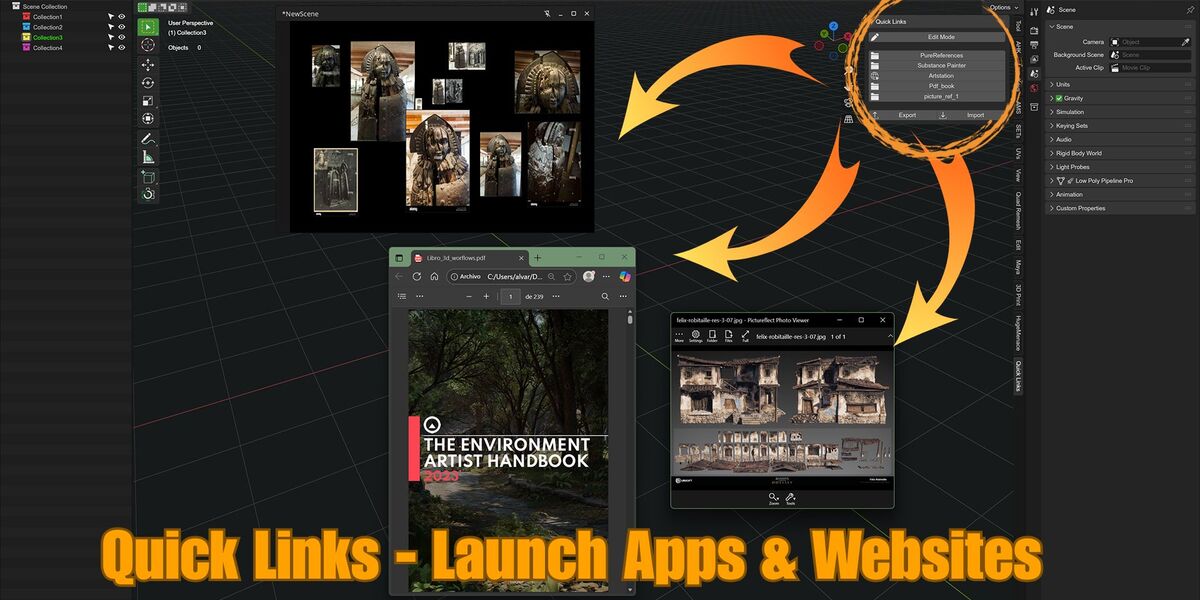
Quick Links is a Blender add-on from To The Grid Studio that puts custom launch buttons in the 3D Viewport sidebar. Each button can open a program, website, file, or folder, giving you one place to reach the tools and references you use alongside Blender.
Keep frequently used links in one panel
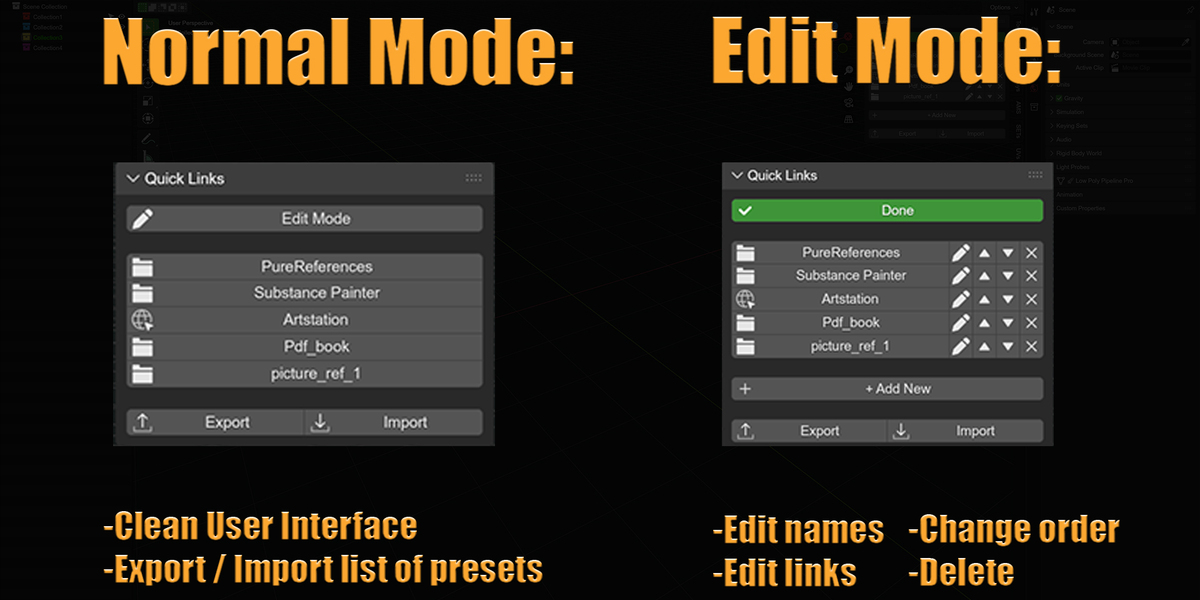
Give each button a name and a path or URL. Quick Links detects whether an entry is a website or a file path. For example, you could add a link to Substance Painter, a project folder, an ArtStation page, or a reference PDF.
View mode shows the buttons without the editing controls. Switch to Edit mode to add, change, reorder, or delete links. Your list persists between Blender sessions, and the product supports an unlimited number of links.
Set up and share a shortcut list
Before installing, confirm with To The Grid Studio which Blender versions are supported. The documentation describes installing the ZIP through Edit > Preferences > Add-ons, then enabling Quick Links. In the 3D Viewport, press N if the sidebar is hidden and select the Quick Links tab. In Edit mode, choose “+ Add New,” enter a button name and its path or URL, then confirm.
Export and import save a setup as JSON so you can back it up, move it to another computer, or share it with teammates. The documentation says file paths are absolute, so check and update paths when the files or programs live in different locations on another machine.
Know what happens when you click
Quick Links launches a linked program or opens its target. It does not switch to a window that is already running. Depending on the program, clicking its button may open another instance; use your operating system’s window switcher to move between open apps.
Check Blender version compatibility
The product listing gives a Blender version range of 3.0 to 5.0, and the documentation's technical specifications say Blender 4.5 or newer. Its Details section also lists Blender 3.0 to 5.0, so the source materials do not clarify which range applies to the current release.