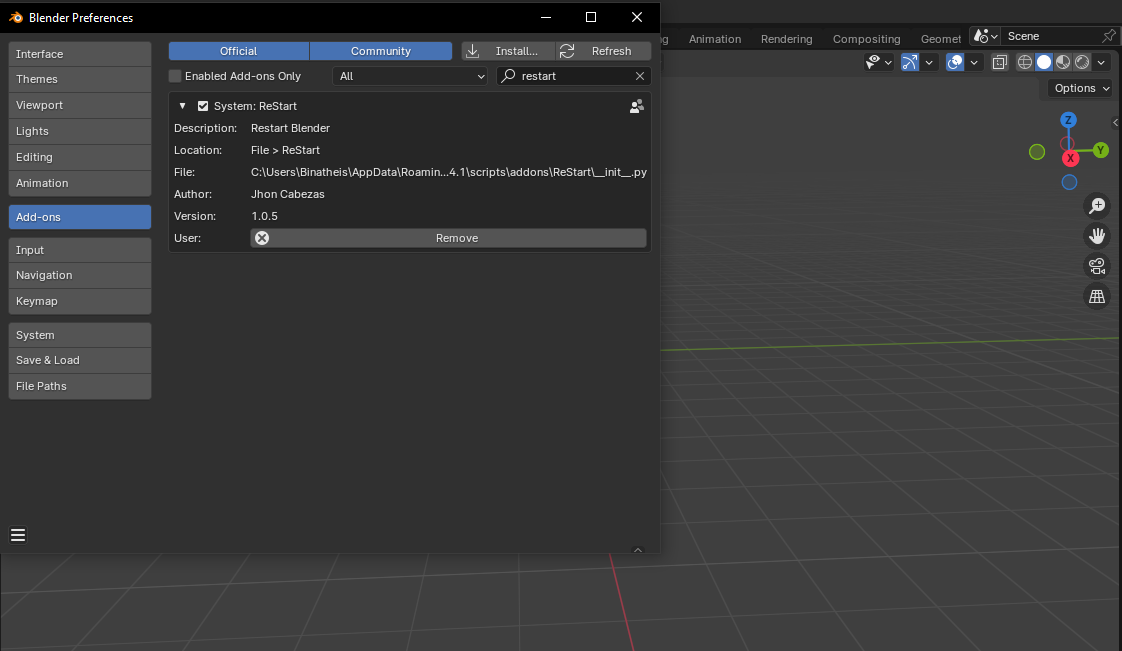
Restart: A Simple Functionality is a Blender add-on by Giambattista Von Nettesheim. It lets you restart Blender with a single click instead of closing and reopening the application manually.
When it helps
The add-on integrates into Blender’s interface. Its product listing describes quick restarts as useful during troubleshooting and testing. It focuses on restarting Blender; the listing does not detail which session settings or state are retained.
Install the add-on
- Download the add-on file from the Superhive product listing.
- In Blender, open Edit > Preferences and select Add-ons.
- Click Install, choose the downloaded file, then enable the add-on by checking the box next to Restart.
Versions and unsaved files
The listing names Blender versions 2.83, 2.93, 3.6, 4.0, 4.1 and 4.2. If you use another release, check the product listing for current compatibility details. Save new files that have not been saved yet before restarting; the listing warns they could otherwise be lost.
License
Superhive lists the add-on under the GPL. See its GPL information for license details.