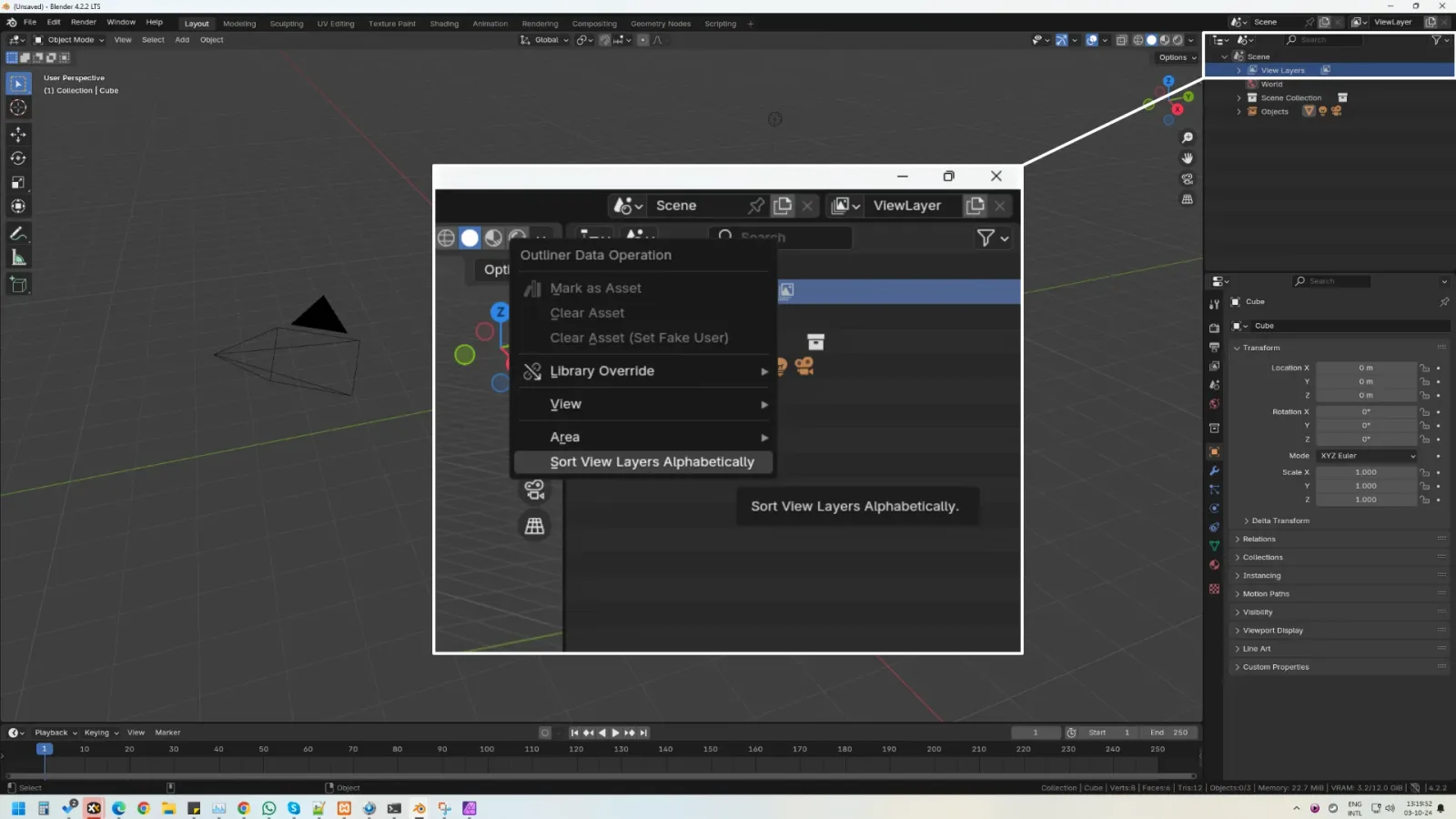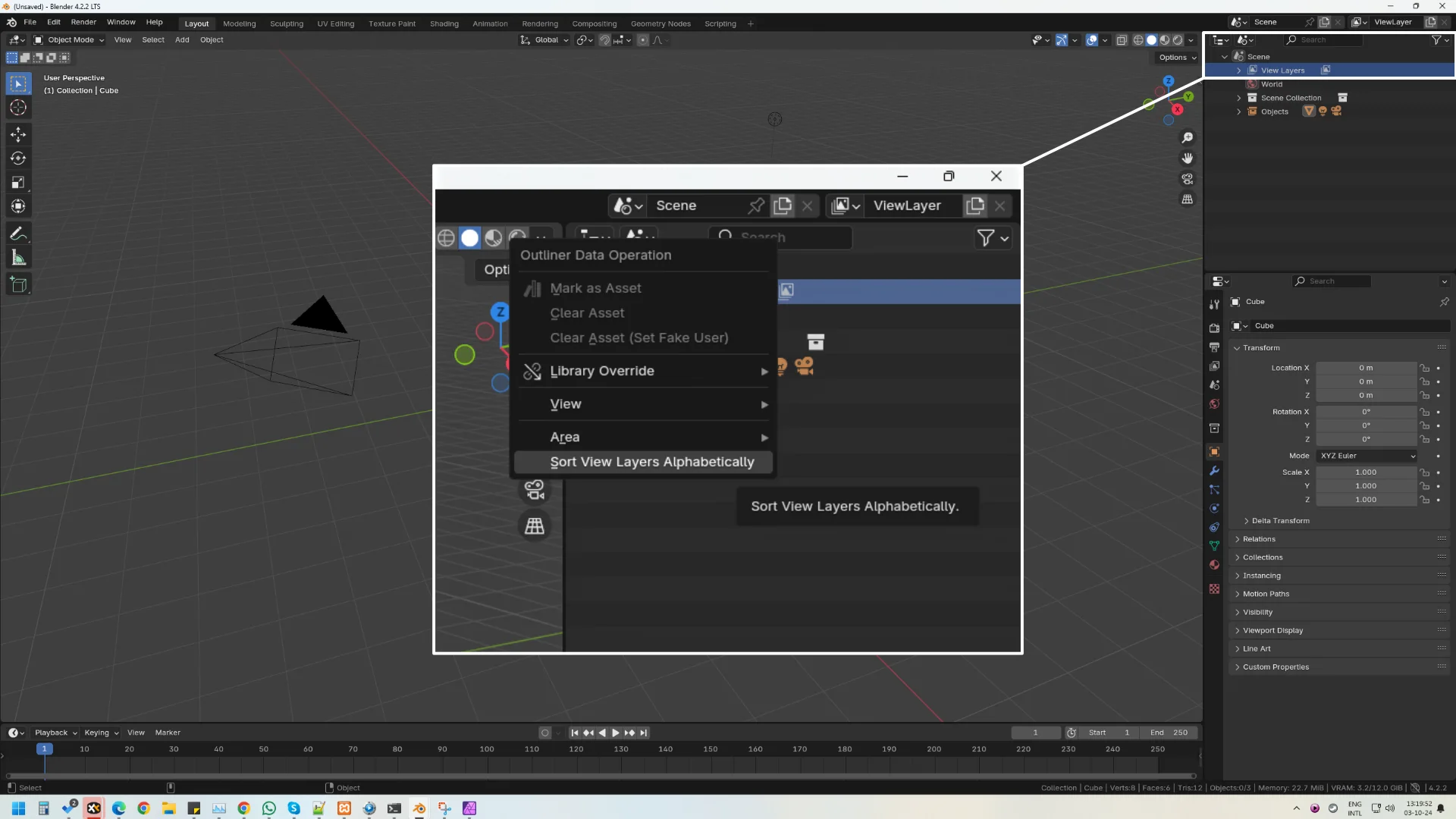
RMB Sort View Layers Alphabetically in Outliner-Scenes is a Blender add-on by RobWu that adds a command to sort view layers alphabetically, from A to Z and/or 0 to 9. Find it in the Outliner under Scenes > View Layers. It can help when named view layers are difficult to scan in their current order.
Use the Outliner command
- In the Outliner, locate Scenes > View Layers.
- Right-click in that area.
- Choose Sort View Layers Alphabetically.
The command name and menu location come from the Blender Extensions listing.
Compatibility and installation
The Blender Extensions record lists version 0.0.2 and sets Blender 4.2.0 as the minimum version. The listing describes compatibility as Blender 4.2 LTS and newer. You can drag and drop the extension file into Blender, or download it and use Install from Disk in Blender’s extension preferences.
Sorting details
The documented function is sorting view layers alphabetically. The listing says it sorts from A to Z and/or 0 to 9, but does not explain how mixed names or multiple scenes are handled. If the exact order matters in a project, check the result on a copy of the file first.