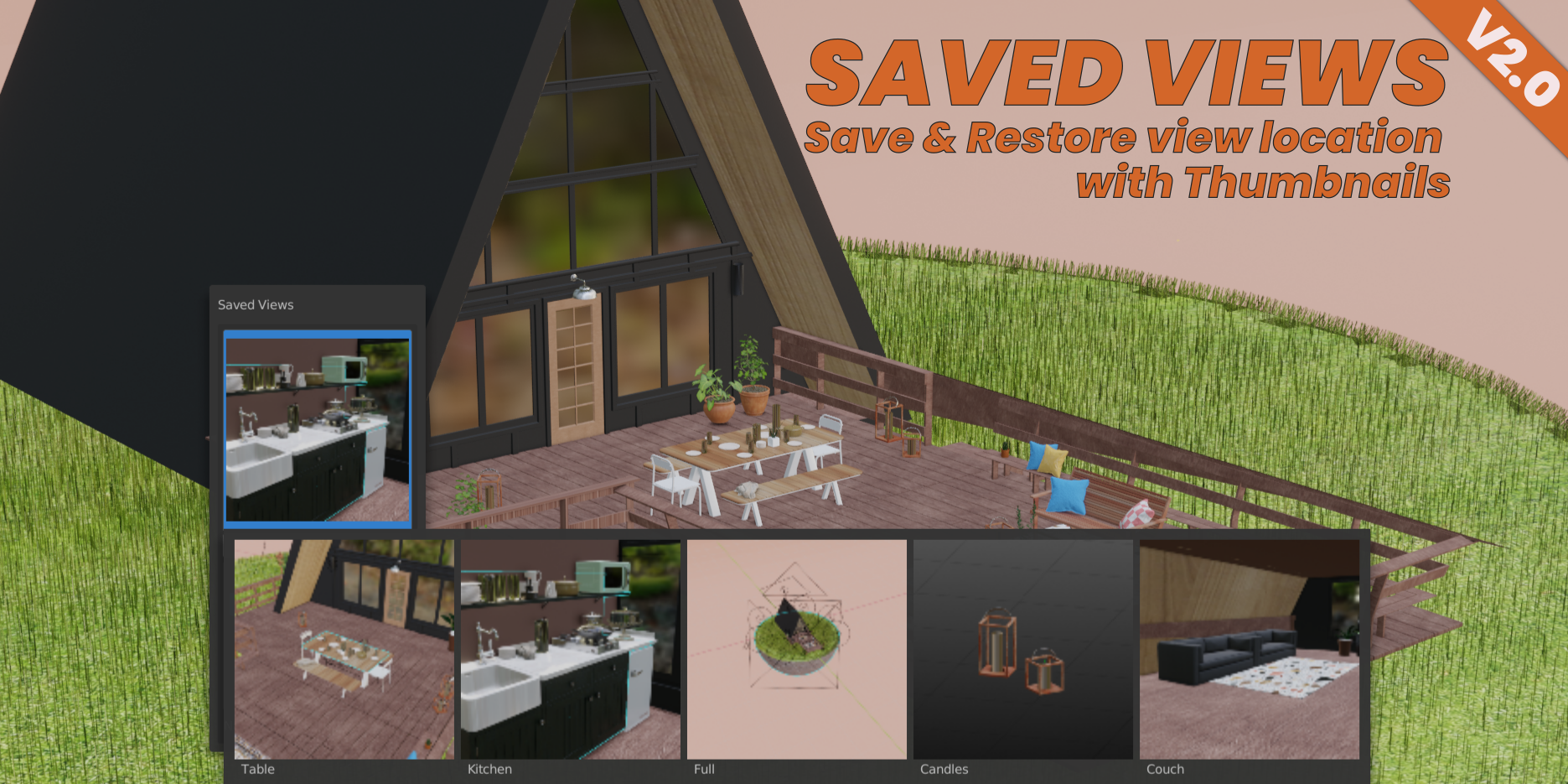
Saved Views is a Blender add-on by Amandeep that records a viewport’s location and rotation so you can return to a saved viewpoint. It captures a thumbnail for each entry, giving you a visual way to recognize views alongside their names. The add-on also saves local-view state, includes a camera list, and adds search and quick-save controls. See the Superhive product listing and its usage documentation for the product details.
Save a viewpoint and return to it
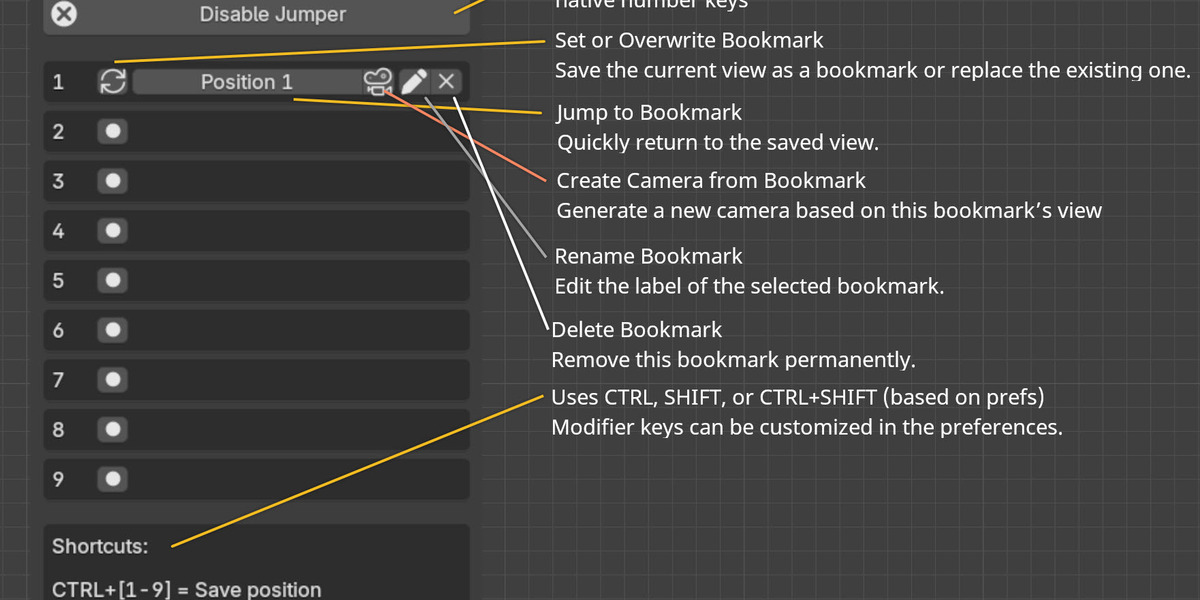
Open the Saved Views panel from the View section of Blender’s N-Panel or use Ctrl+W. The shortcut can be changed in the add-on preferences. Press the + button to save a view; thumbnails are captured automatically. To remove an entry, select it and press the - button.
Return to a saved viewpoint by selecting its thumbnail or its name in the list. Saved Views stores local-view state with the entry, so selecting it can return you to that view as well. A separate camera list provides a way to switch between camera views.
Search and quick-save controls
The product’s version 2.0 notes list Search and Select in the viewport. It can find and select objects by name without opening the Outliner, and it can search saved-view names. The same release notes list an Add Camera to view button and a Quick Save function: press F5, enter a name, and the current view is saved. Version 3.0 adds Quick Save and Recall.
Compatibility and license
The Superhive listing marks Saved Views as Blender Extension compatible and identifies it as an add-on under the GPL license. Its listed Blender versions are 2.93, 3.0 through 3.6, and 4.0 through 4.4. Check the developer’s listing for compatibility details before using it with a later Blender release.
Who may find it useful
Saved Views may suit Blender users who revisit particular viewpoints, move between camera views, or want a visual way to recognize saved positions. Its thumbnail list and saved local-view state support viewpoint navigation; the Search and Select feature finds and selects objects by name in the viewport and searches saved-view names.