Scenestreamliner is a Blender add-on by Make It Move Media that creates low-poly viewport proxies from dense meshes. The current product documentation calls it Super Easy Scene Streamliner, formerly SceneStreamliner. It keeps the original meshes for rendering, which can help when heavy scans, sculpted assets, or set dressing slow down scene work.
How viewport proxies work
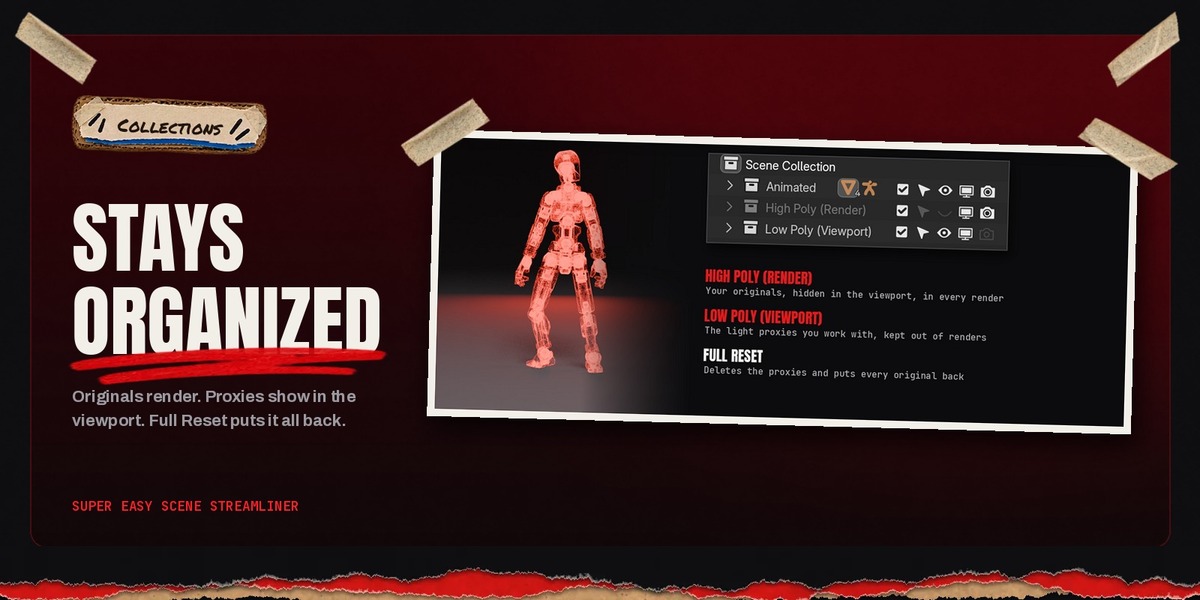
Build proxies for all mesh objects, selected objects, or objects in a chosen collection. The add-on creates a decimated copy of each mesh, names it with a .LOW suffix, and places it in a Low Poly (Viewport) collection. Originals stay in a High Poly (Render) collection, hidden in the viewport and included in renders; the proxies stay out of renders. The original meshes are not edited.
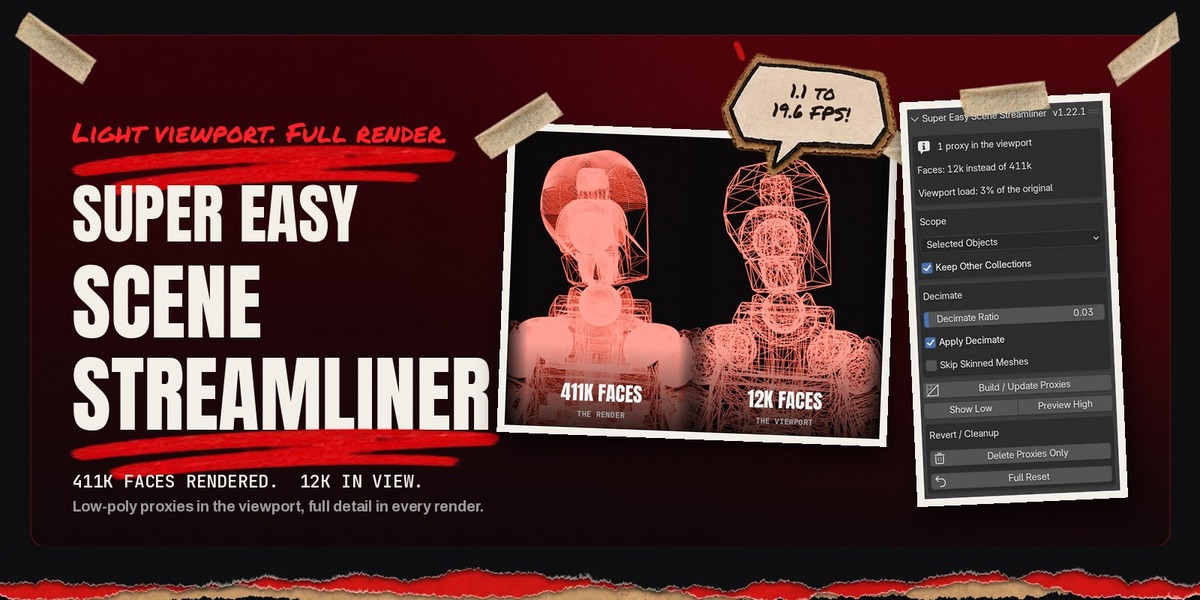
After a build, the panel reports the proxies' face count compared with the originals and the viewport load as a percentage. A Superhive product-page test reports a change from 20.2 million faces at 1.1 FPS to 605,000 faces at 19.6 FPS for 49 scanned figures on an RTX 3090 in Blender 5.3. That is a result from the listed test scene and hardware, not a performance guarantee for other projects. See the product listing and its benchmark details.
Choose a reduction ratio and check detail
The Decimate Ratio sets how much of the mesh the proxy keeps: a ratio of 0.3 keeps 30% of the faces. The documentation suggests trying 0.03 for dense scans. Very low ratios can create small holes in thin parts of a proxy, which affects the viewport copy; the original remains in renders.
To compare detail, switch between Show Low and Preview High. If the proxy needs adjustment, change the ratio and build again. Each rebuild starts from the original mesh, so reductions do not stack. The Apply Decimate option bakes the reduction into the proxy; leaving it off keeps a live Decimate modifier that can still be changed.
Rigged characters and scene cleanup
For rigged characters, the Decimate step is placed before the Armature modifier so proxies continue to follow the rig. Turn on Skip Skinned Meshes to leave meshes with an Armature modifier out of the build. Use Delete Proxies Only to remove the copies while keeping the collections, or Full Reset to remove proxies and return originals to their own collections.
Installation and compatibility
The maker's documentation identifies the extension as compatible with Blender 5.0 and newer. Install its zip through Edit > Preferences > Get Extensions > Install from Disk, or drag the zip into an open Blender window. Then open the 3D Viewport sidebar with N and select the Streamliner tab. For current steps and settings, see the Scene Streamliner documentation.
For any file that still has proxies from SceneStreamliner 1.21 or older, the upgrade notes say to run Full Reset in the old add-on first, then disable and remove it before installing the new extension. The listing identifies the license as GPL.