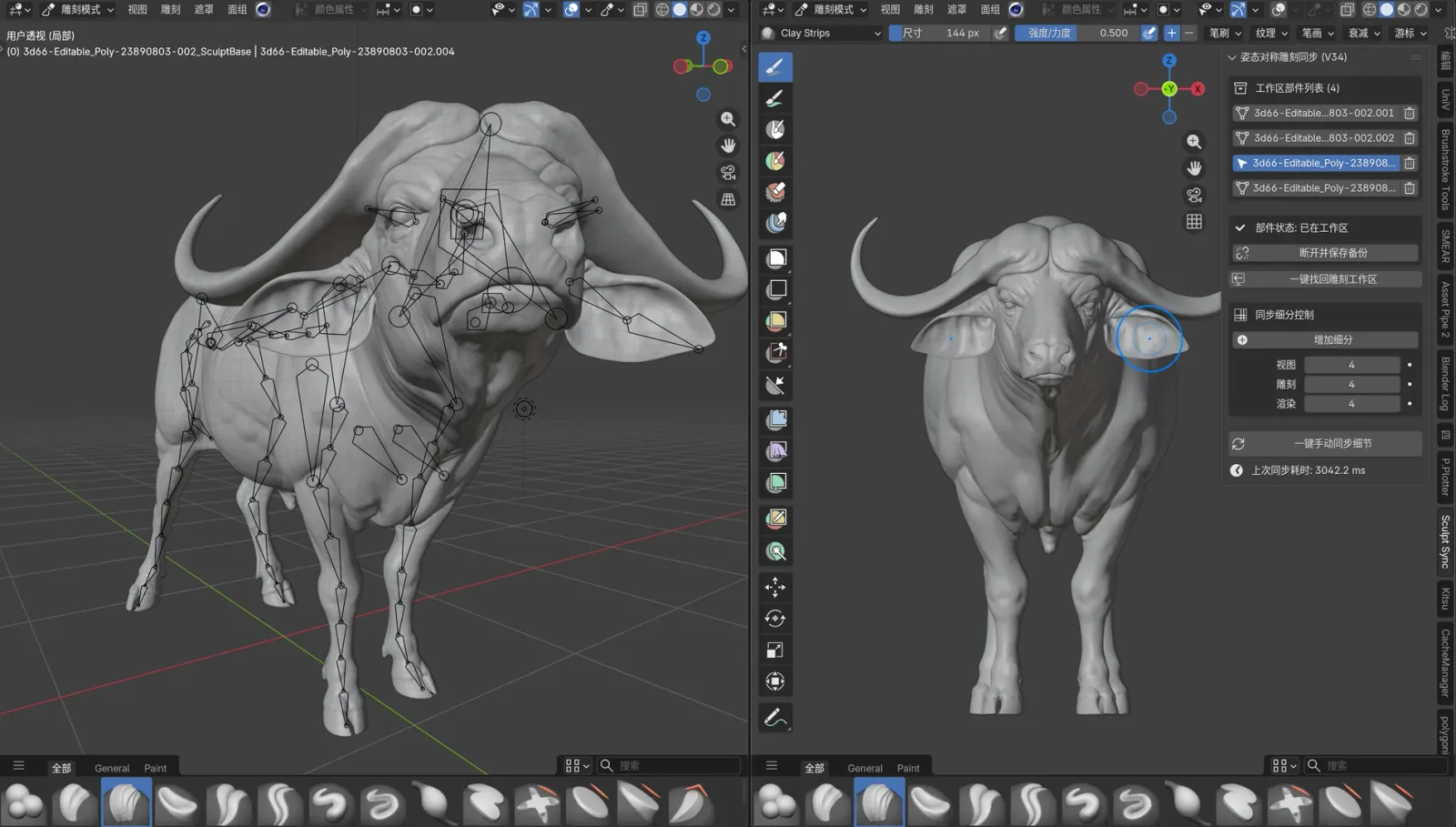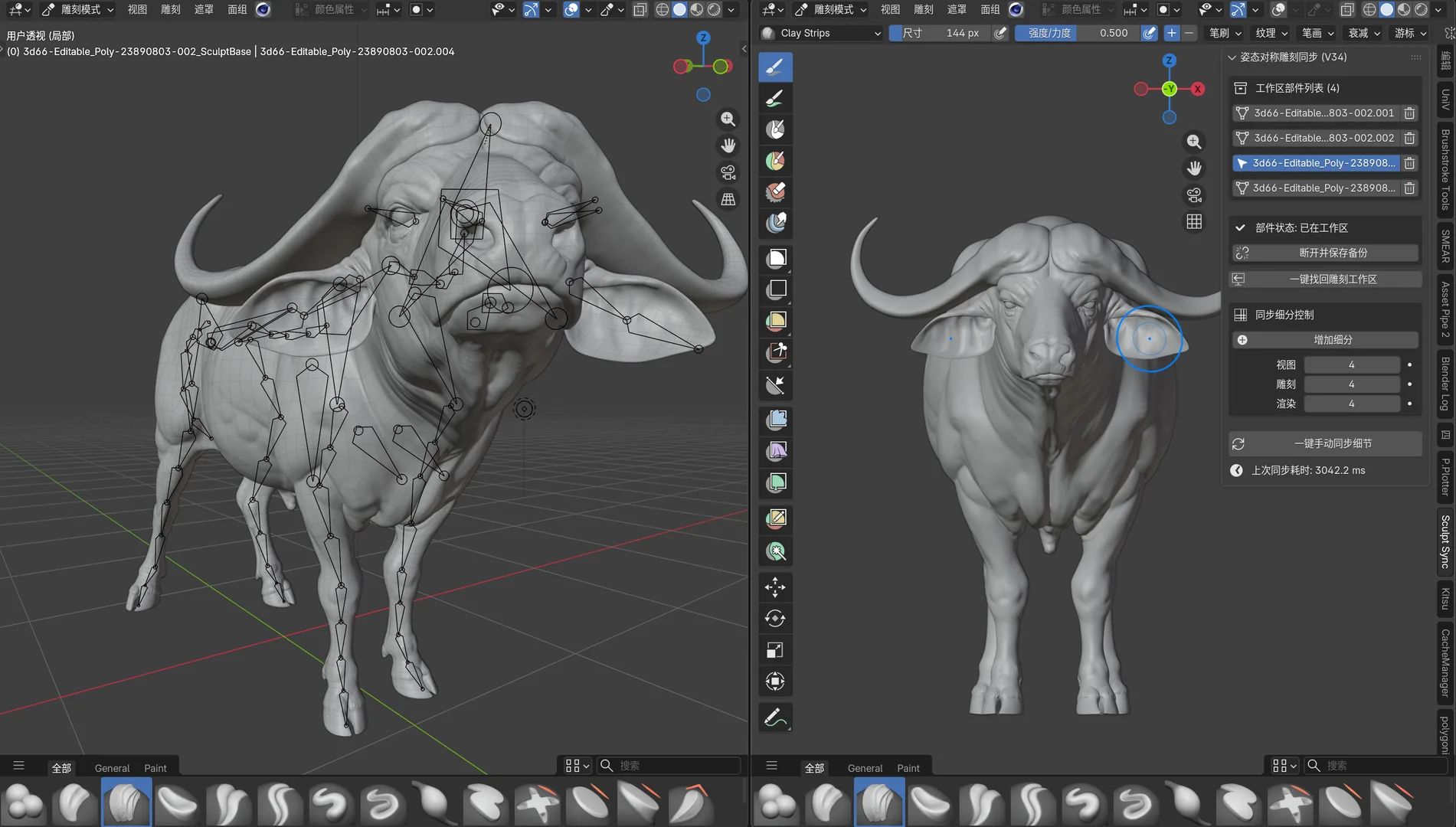
Sculpt Pose Sync is a Blender add-on by mamenr for symmetrical sculpting on rigged characters that are already posed. Sculpting symmetrically can require returning the armature to its rest pose, which makes it harder to see how muscles or clothing deform in the intended pose. The add-on sets up a paired workflow: sculpt on an unposed mesh while keeping the posed result visible beside it.
How the paired workspace works
Select a posed mesh and Sculpt Pose Sync splits the current view or opens a new window. One side shows an isolated, unposed model for sculpting; the other keeps the posed preview available for comparison. The add-on prepares Multiresolution modifiers for the paired models. A control in its panel raises the subdivision levels on both models together, helping keep their topology aligned as you add detail.
- Select the posed mesh to set up the sculpt and preview views.
- Make symmetrical changes on the unposed model while checking how the posed model looks.
- Use the panel control to raise subdivision levels on both models when you need more detail.
Update the posed result when you are ready
Detail transfer is manual. While you sculpt, use Force Sync Details to project the sculpted forms onto the posed model when you want to review the result. This keeps the add-on from continuously syncing details in the background, but it also means the posed view will not reflect your latest sculpt changes until you run the command.
Keep the sculpt mesh after disconnecting
When the work is finished, the safe disconnect workflow unlinks the paired models and archives the sculpt mesh. The add-on timestamps and hides that mesh rather than deleting it. You can clone and restore an archived version from the panel if you want to revisit an earlier state.
Version and compatibility
The Blender Extensions listing identifies version 34.0.0 and Blender 4.2.0 as the minimum supported release. The add-on is licensed under GNU GPL-3.0-or-later and does not require special permissions. Check the official listing for the current release and installation options. For bug reports, use the developer’s issue tracker.