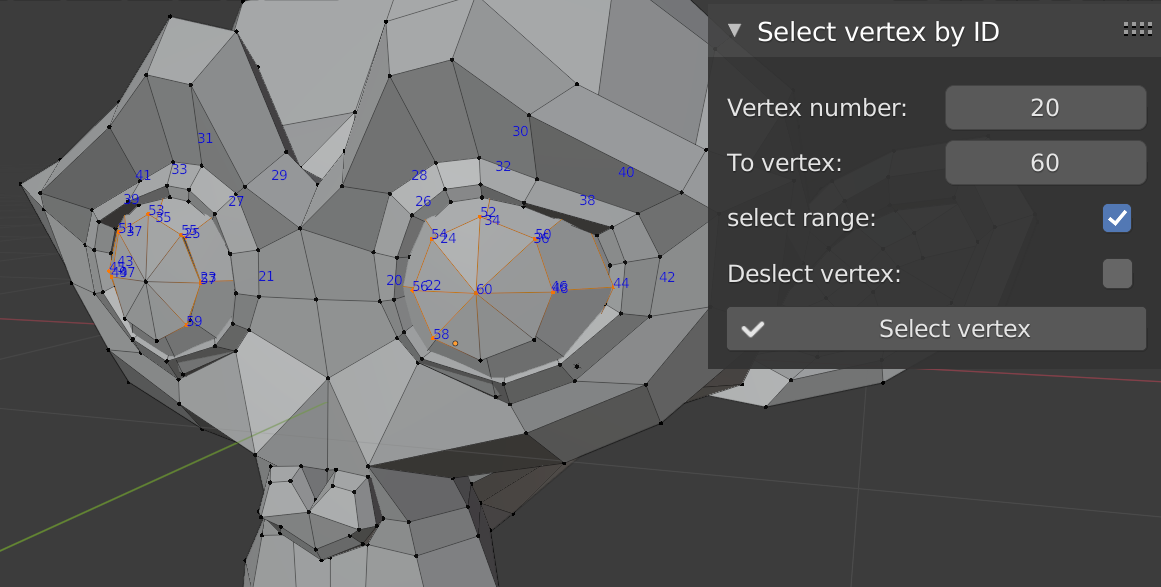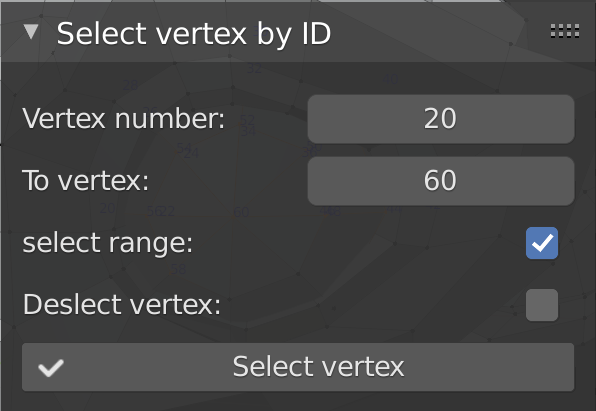
Select Vertex By Index is a Blender add-on for selecting or deselecting a mesh vertex by its index number. Enter one index in the add-on panel to target a single vertex. To select several, enable the range option and set the range you need. This can help when you know a vertex's number but have trouble locating it on the mesh.
Show vertex indices in Blender
- Open Edit > Preferences > Interface and enable Developer Extra.
- Enter edit mode, open Show Overlays in the viewport, and enable Indices.
- Read the number displayed for the vertex you need, then enter it in the add-on panel.
Documented Blender versions and license
The Superhive listing names Blender 2.8, 2.81, 2.82, 2.83, 2.9, 2.91, 2.92, 2.93, and 3.0. It lists the license as GPL and identifies GilaDDD as the developer. The listing does not document later Blender versions, so check the current product details before using the add-on with a newer release.
The product documentation describes the index display and selection steps.