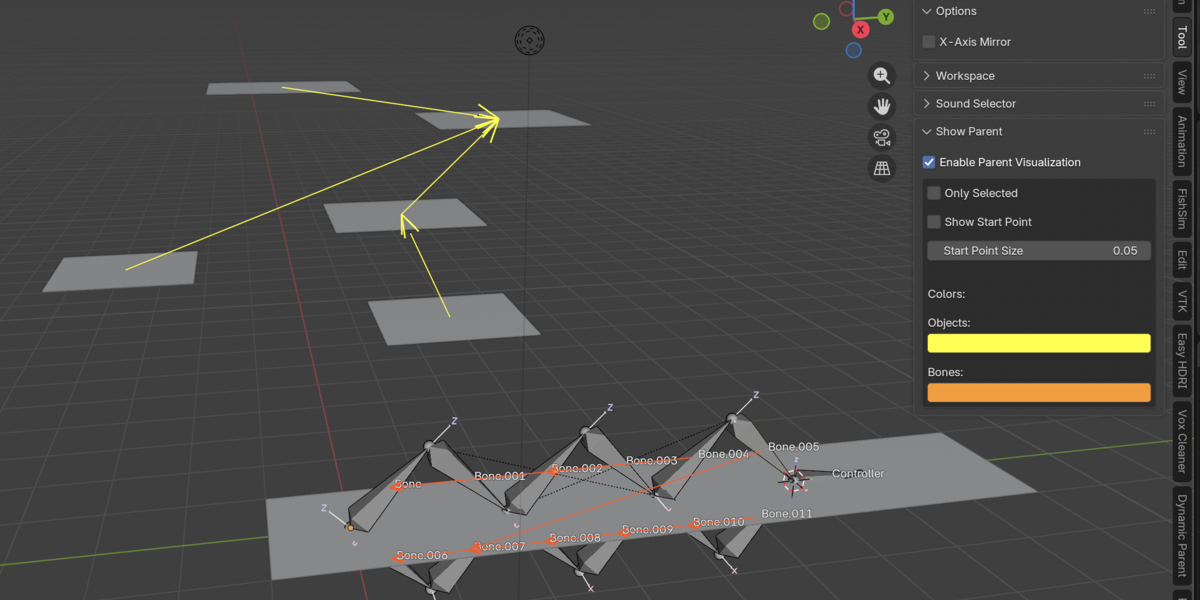
Show Parent is a Blender add-on by Blender.Fun for viewing parent relationships in the 3D Viewport. It draws yellow arrows for object parents and blue arrows for bone parents. The separate object and bone modes suit rigging, scene cleanup, and debugging work. View the Show Parent listing.
Focus and mark parent links
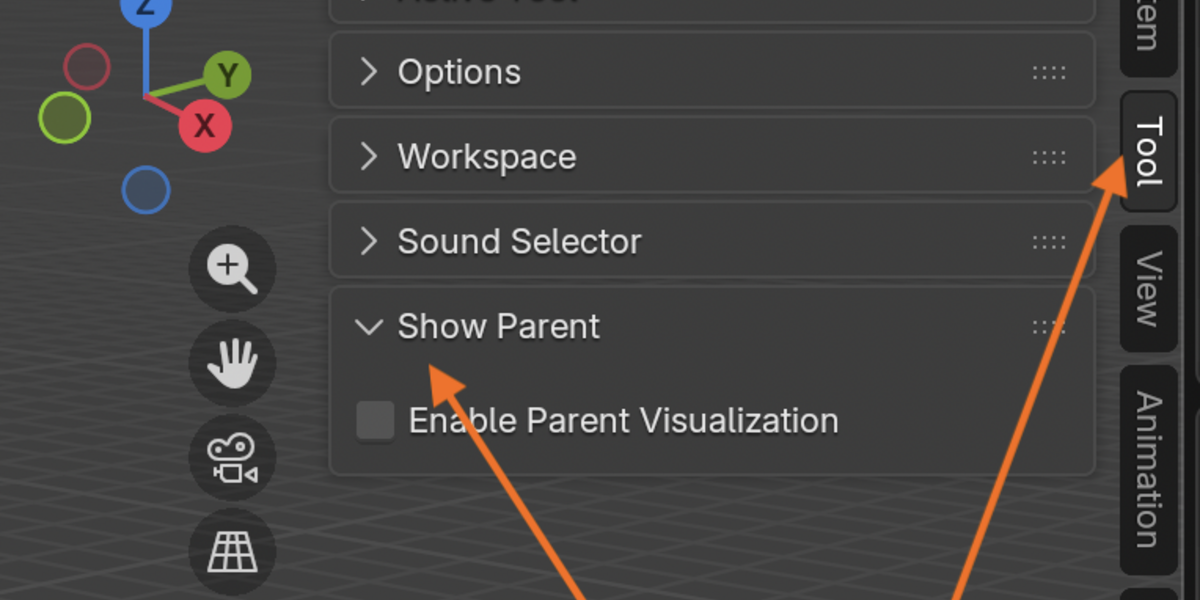
Enable Parent Visualization to show the arrows. The Only Selected filter limits them to selected objects or bones, which can help focus on part of a scene. Show Start Point adds a small filled circle at an arrow's start. The marker faces the viewport and stays visible from different viewing angles. Adjust its size and use the object and bone color controls to set arrow colors. The documentation says these settings persist with the blend file. See the Show Parent documentation for the available options.
Install and open Show Parent
In Blender, go to Edit > Preferences > Add-ons > Install and select the add-on folder, or copy it into Blender's add-ons directory. Enable Show Parent in Add-ons preferences. Then open View3D > Sidebar > Tool > Show Parent and toggle Enable Parent Visualization.
Compatibility and license
The listing gives a Blender version range of 3.1 to 5.0, marks the add-on as Blender Extension compatible, and lists its license as GPL.