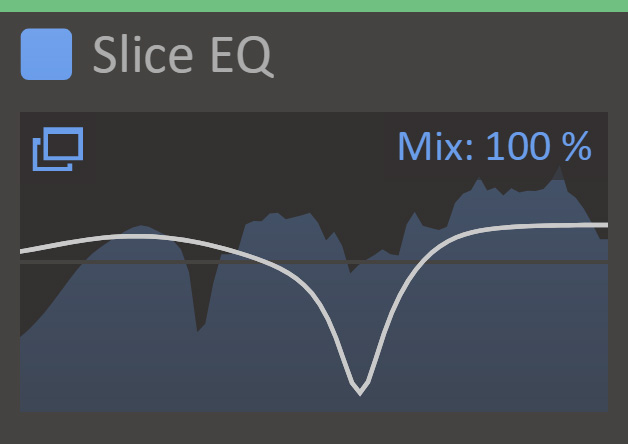
Slice EQ is a parametric equalizer for producers and mixers who want to shape frequencies with individual filters, compare spectra, or process stereo channels separately. It combines visual curve editing with per-filter controls, and can also run as a Snapin inside Kilohearts hosts.
Filter design and editing
Build a curve from six filter types: peak, low and high shelf, notch, and low and high cut. Each filter has controls for frequency, Q, and roll-off; peak and shelf filters also have gain controls. The product page lists digital filter slopes up to 96 dB per octave.
You can add filters from a type palette or let the edit tool choose a type based on where you click on the frequency axis. Drag a handle horizontally to change its frequency and vertically to adjust gain or Q. Hold Alt while dragging, or use the mouse wheel over a handle, to change Q; hold Ctrl while dragging to adjust roll-off. Shift-drag gives finer control. A filter list provides individual knobs, bypass switches, and removal controls alongside the visual editor.
Mixing workflows
- For tonal shaping, use peak filters to boost or reduce a frequency range, shelves to shape frequencies above or below a point, and cut filters to remove frequencies beyond their cutoff. A real-time spectrum analyzer displays the processed audio with the combined filter curve.
- To compare a source with another sound, use the reference tool to show a factory or saved profile, create a profile from a WAV file, record the current input, or view a sidechain spectrum in real time. This can help when matching a reference or checking where two mix elements overlap.
- For stereo work, choose Left/Right mode to equalize the channels separately, or Mid/Side mode to work on mono and stereo content separately. The edit selector can target both channels or an individual left, right, mid, or side channel.
Snapin use and moving filter shapes
As a Snapin, Slice EQ can run in Snap Heap, Multipass, or Phase Plant. Its Offset control shifts all filters together, which the manual describes as useful for sweeps or using the EQ as a custom filter in a Snapin host. This setup suits sound-design patches where the EQ needs to sit inside a larger Kilohearts effects chain. The full editor remains available from the Snapin view.
Slice EQ also has A/B configurations for comparing two equalization setups, undo and redo, an overall gain control, and a dry/wet Mix control. The Mix control scales the gain of filters toward zero at 0%; low-cut, high-cut, and notch filters are unaffected. Oversampling is enabled automatically when the sample rate is low enough, and can be forced on or off using the dropdown in the status bar.
Compatibility and access
Kilohearts lists support for DAWs that host VST2, VST3, AAX, or Audio Unit plugins. Its minimum recommended processor is x86-64 with SSE3, and Apple M processors are supported on macOS. Kilohearts does not support operating-system versions their manufacturers no longer support, and recommends trying the trial on an older system before buying. See the system requirements for current details.
The Kilohearts shop lists Slice EQ for individual purchase with a trial option. It is also included in the Kilohearts Subscription, which covers the company's plugins and content banks and includes access to new releases. Kilohearts describes subscriber rewards toward permanent licenses for each 12 months subscribed. The Slice EQ manual covers its controls and workflows.