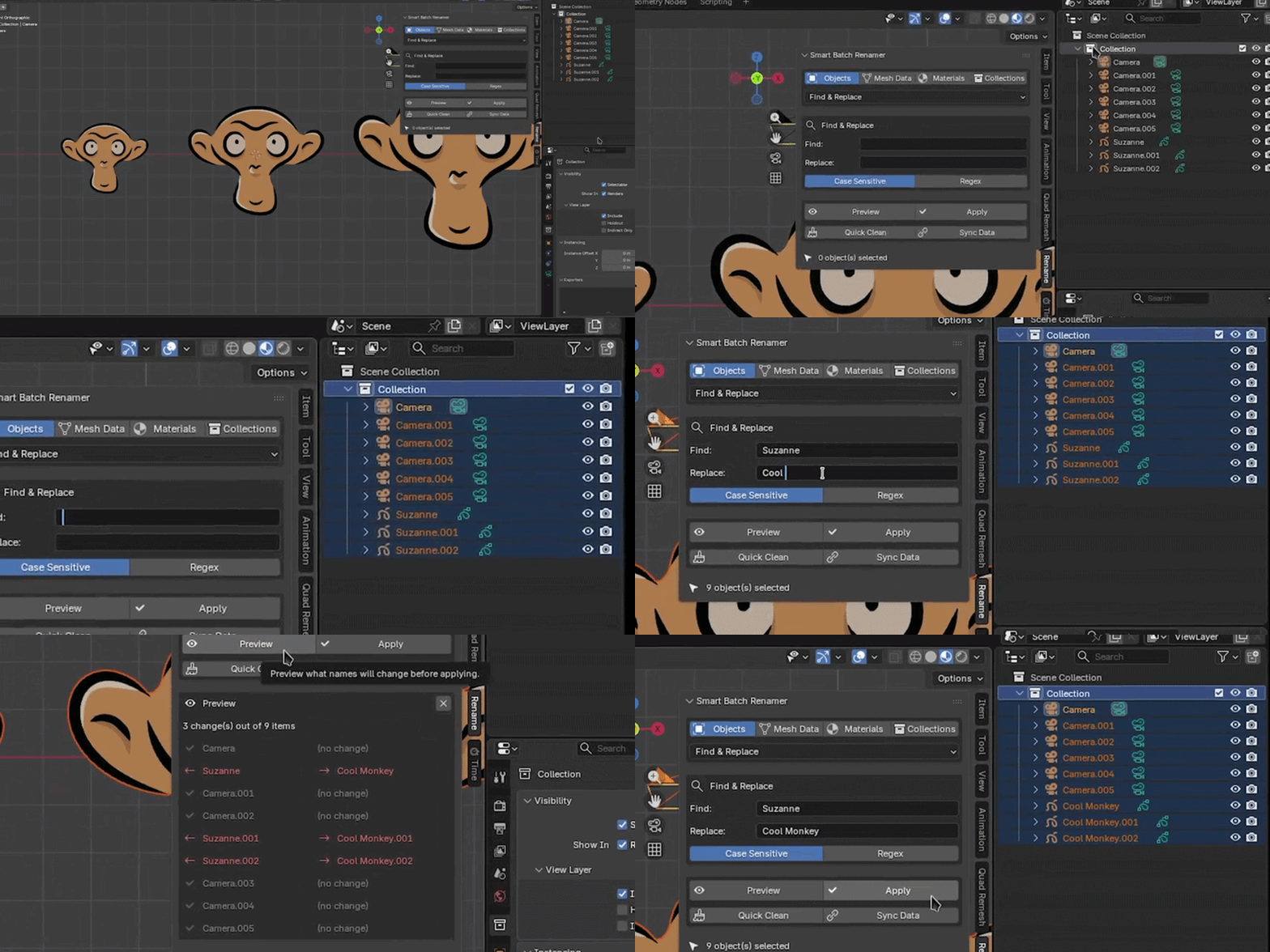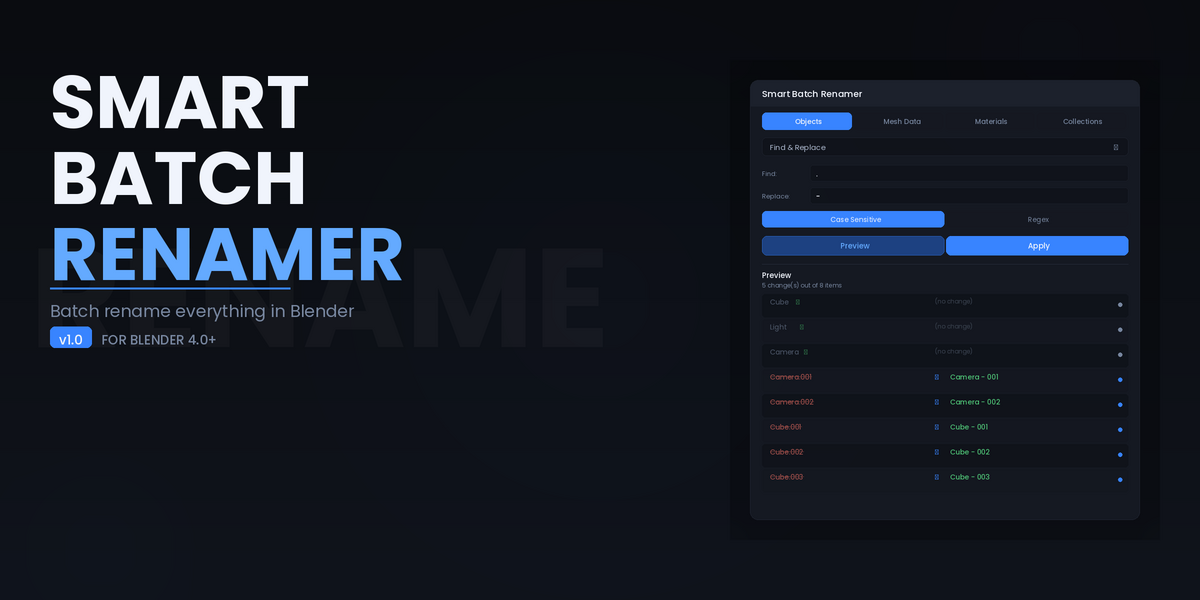
Smart Batch Renamer is a Blender add-on for renaming objects and related data in batches. Choose what to rename, select an operation, review a before-and-after preview, then apply the changes. Applied renames support Ctrl+Z undo.
What it can rename
The target selector covers objects, mesh data-blocks, materials, and collections containing selected objects. For materials shared by several selected objects, the rename list shows the material once. The Sync Data Names operation sets each selected mesh data-block name to match its parent object; cameras, lights, empties, and other non-mesh objects are skipped.
Rename operations
- Find & Replace: Replace plain text or use regular expressions, with a case-sensitive option.
- Prefix and suffix: Add text to the start or end of names, or remove a matching prefix or suffix.
- Clean Names: Strip Blender’s duplicate-number suffixes, trim leading and trailing whitespace, and optionally change spaces to underscores.
- Numbering: Assign sequential names using a chosen base name, starting number, digit padding, and separator.
- Change Case: Convert names to upper case, lower case, title case, or snake_case.
Quick Clean combines suffix cleanup across object, mesh data-block, and material names for the current selection. If cleanup causes two items to have the same name, Blender adds a suffix to keep names unique. Use Numbering when you want to assign distinct names deliberately.
Preview the changes first
Preview displays the old and proposed names in the panel, with changed and unchanged items distinguished. The preview list shows up to 50 items; Apply still processes all targeted items. The scene is unchanged until you click Apply, and you can undo an applied rename with Ctrl+Z.
Install and open the panel
Install the supplied ZIP in Blender through Edit > Preferences > Add-ons, then enable “Object: Smart Batch Renamer.” In the 3D Viewport, press N and open the Rename tab in the sidebar. The marketplace’s Compatibility field says Blender 4.0 and newer, while its Details range is 4.0–5.1; the v1.0.0 guide says 4.0 or newer, tested up to 5.1. The add-on has no render-engine dependency. The product listing identifies version 1.0.0 and GPL-2.0-or-later licensing; the marketplace page currently displays $4.99. See the product listing and user guide for current product details and installation instructions.