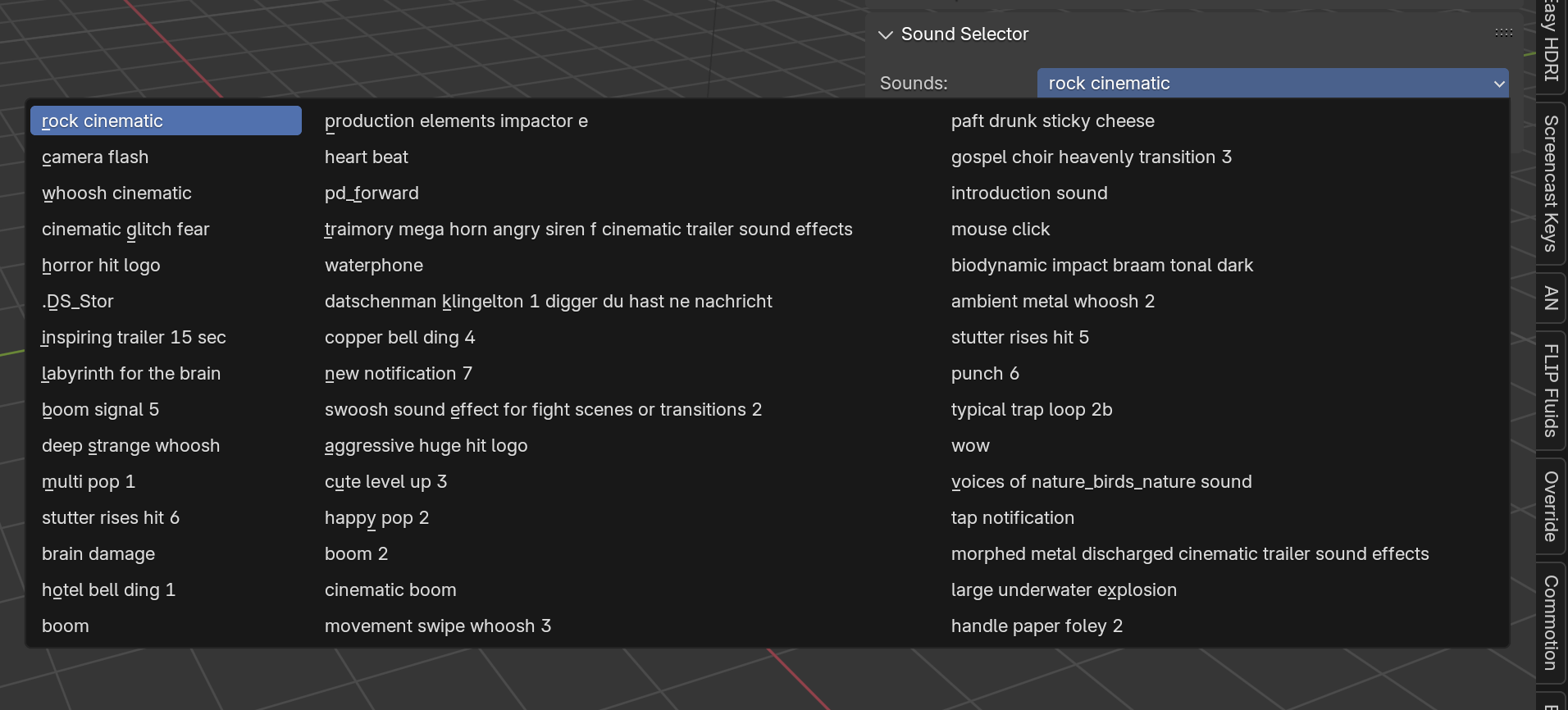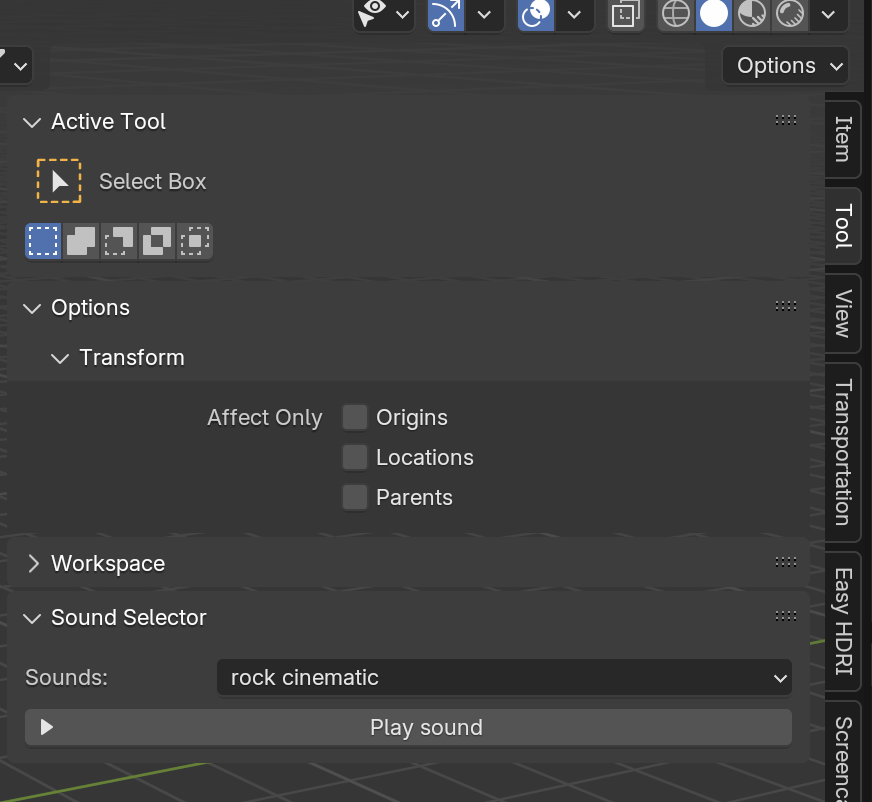
Sound After Render is a Blender add-on that plays an audio cue when a render finishes. Its Superhive listing describes more than 40 sound choices, settings in the viewport side panel under Tools, and a preference that can override scene-specific choices with one default sound.
How the completion alert fits a workflow
The audible cue lets you leave Blender rendering while you work in another window, then return when the render finishes. It may be less useful for short renders or when Blender stays in view.
The product details do not describe render queue management or another notification channel, so treat it as an audio alert for completed renders. Consider whether sound is useful in your workspace before relying on it, especially if audio is often muted or inappropriate where you work.
Choose a sound in Blender
In the 3D Viewport, press N to open the side panel, then look under Tools for the add-on's settings. The documentation page also points to the add-on preferences.
You can choose a sound for a scene, or set a default in preferences to override scene-specific sounds across all scenes. The shared default suits files where one completion cue works throughout. Per-scene choices are useful when different scenes need their own sound. The listing says an update introduced the default override option.
Compatibility and license
The listing marks Sound After Render as Blender Extension compatible and gives Blender 2.93 to 5.1 as its compatibility range. It identifies Blender.Fun as the creator and GPL as the license. The version range refers to Blender compatibility, not the add-on's own release number. If your Blender version is outside the listed range, check the current product page before relying on the add-on.
Before relying on the alert
After choosing a sound or changing the default, run a short render to confirm the alert works with your current Blender setup and audio output.