Studio Lighting & Render In One Click is a Blender toolkit from Brighter's Studio that brings lighting and render controls into a menu. Its listing identifies Blender 3.0 to 4.5 compatibility, Cycles as the render engine, and a GPL license. Check the product's Superhive listing for current details.
Set up studio lighting or HDRIs
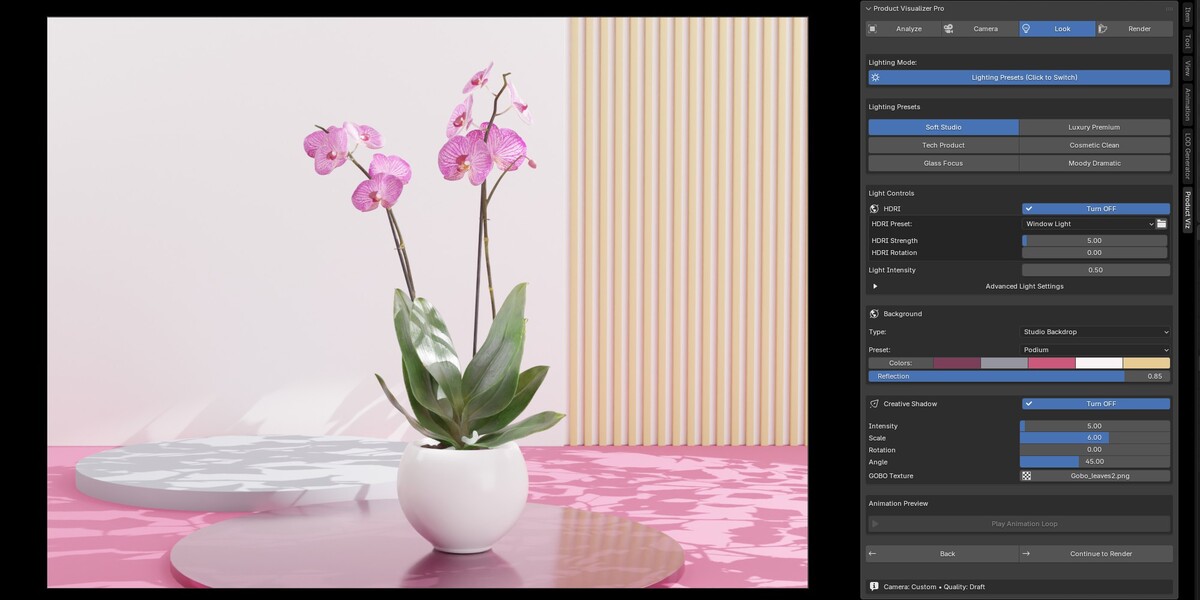
The three-point rig has separate key, fill, and rim lights that you can adjust individually. Presets include softbox, area lights, sunset, and cyberpunk looks. If you prefer environment lighting, the HDRI Manager loads an HDRI and lets you rotate it and adjust its strength from the menu.
Create turntables from the menu
Set up an object or camera turntable, then control its rotation speed and total frame count. The main menu also provides access to focal length and depth of field.
Preview and size renders
Clay and wireframe modes provide alternate views for portfolio presentation or technical previews. The listing also describes ready-made render-size presets for destinations including YouTube, Instagram, ArtStation, Pinterest, and Unity.
Compatibility and fit
The listing names release v1.0 and Blender versions 3.0 through 4.5. It identifies Cycles as the render engine used, but does not specify how the add-on behaves with other engines. Artists using another renderer should confirm compatibility with Brighter's Studio.