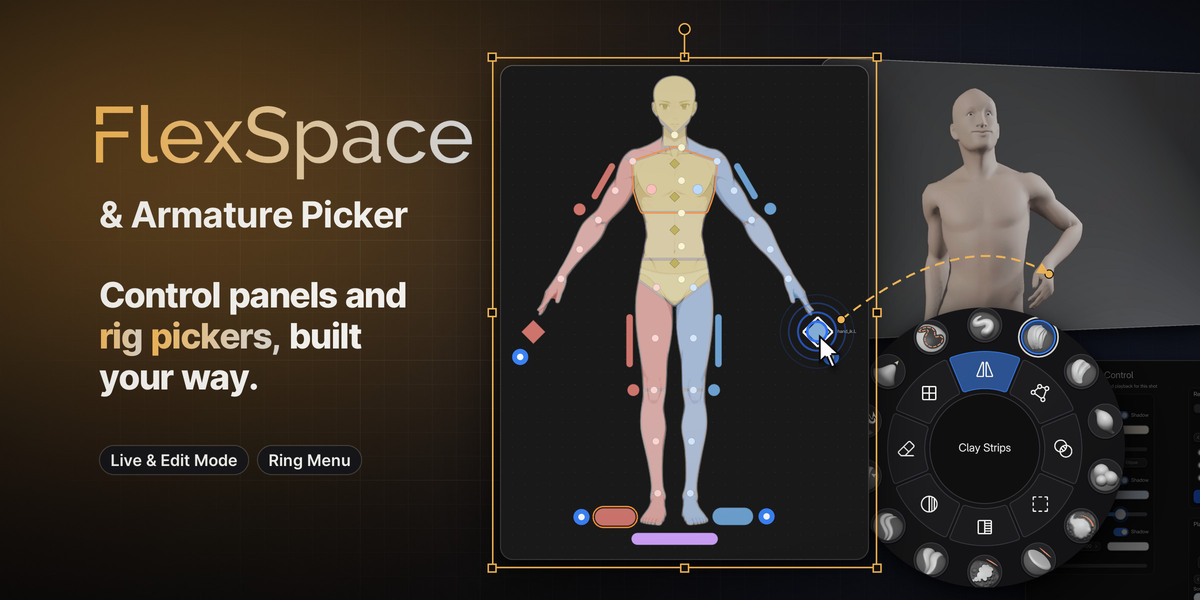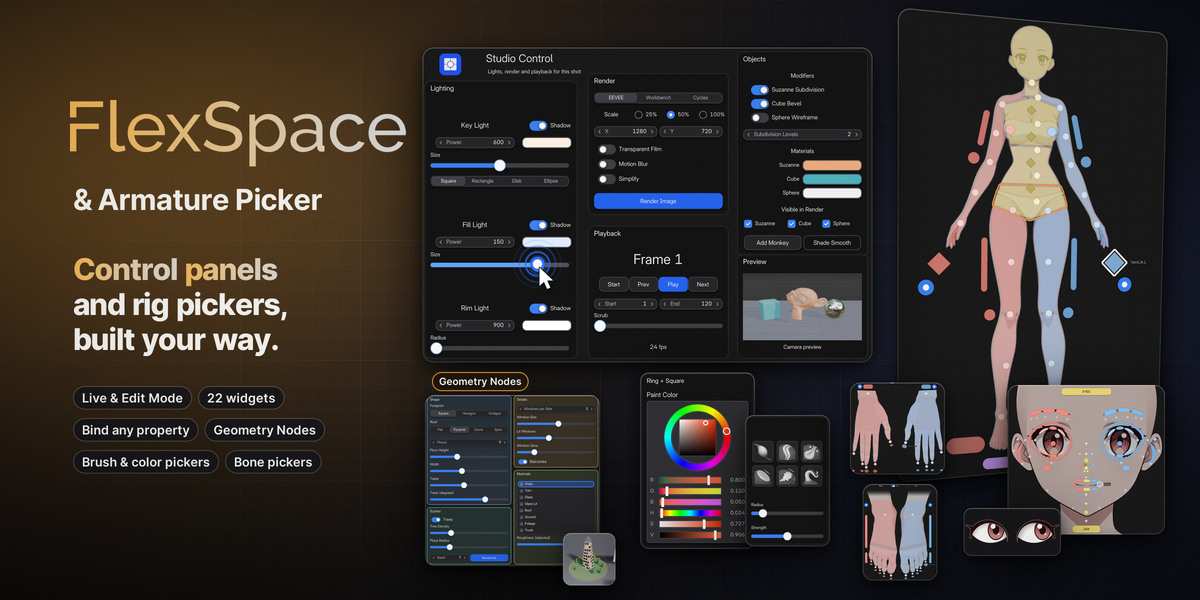
FlexSpace & Armature Picker is a Blender extension that combines custom control panels with an Armature Picker for selecting and posing rig bones. The product listing identifies version 1.4.1 and requires Blender 5.3 or newer. FlexSpace canvases hold controls for scene properties and operators; the picker provides a visual way to select bones in Pose Mode.
The extension includes two canvas types: Flex Space for controls and Armature Picker for rigs. Canvases are saved in the .blend file, pickers are saved with the armature data, and global presets are kept in the user's folder.
Build a control panel for a Blender workflow
In Edit Mode, add widgets with Shift A, then position, resize, rotate, group or align them. In Live Mode, use the controls on the canvas. A right-click on a Blender property or button can add a bound widget through “Add to FlexSpace Canvas.” The From Property option can also create a widget from the canvas. The widget guide covers the available controls and bindings.
Widgets include buttons for Blender operators or custom Python scripts, sliders, number fields, toggles, enums, lists, colour tools and labels. Bound controls can follow the active object or stay pinned to one. Visible When and Disabled When conditions let a canvas show or enable controls according to the scene. Bound widgets show Blender's animation colours. Press I to key them; Auto Keying works with them. Each change made through a Live Mode control is one undo step.
Use pages and a Ring Menu for different tasks
A canvas can have pages that appear for a Blender mode, an object, or an object in a particular mode. Automatic page switching can show controls for the current task, such as sculpting controls in Sculpt Mode or Geometry Nodes controls for a selected object.
The Ring Menu keeps sculpt brushes around the canvas center, with toggles and operators in the inner ring. The active brush is named in the center. Pages can hold additional brushes, and individual items can be disabled by condition. FlexSpace also includes live 3D view widgets: View Preview, Camera View, Viewport Mirror and Silhouette.
Select and pose bones with the Armature Picker
Picker buttons select rig bones, so you can choose a body part on the canvas and transform it in the viewport. Pickers can use bone buttons, custom shapes, mirrored controls, bone collection toggles, knobs, 2D pads and IK/FK switches. The Armature Picker guide explains picker setup and controls.
The picker supports armatures beyond Rigify: import the bones you want and place their buttons. Buttons follow renamed bones, and Repair Bone Bindings can fix bindings that need attention. For Rigify, add a Humanoid Body picker with Body, Hands, Feet and Face pages. The Rigify guide describes the supplied layouts.
Share canvases and try the demo files
Save a canvas as a global preset, export it as a .flexspace file, or use a shared presets folder. When a preset changes, linked canvases show that an update is available; local edits can remain until you choose to update. The library can restore any of the last five preset versions.
The extension includes 11 demo files, including a Studio Control Panel, Sculpt Wheel, Geometry Nodes City Builder and several armature pickers. Each demo opens in its own window so the current project file stays untouched. For installation and setup, see the Getting Started guide.