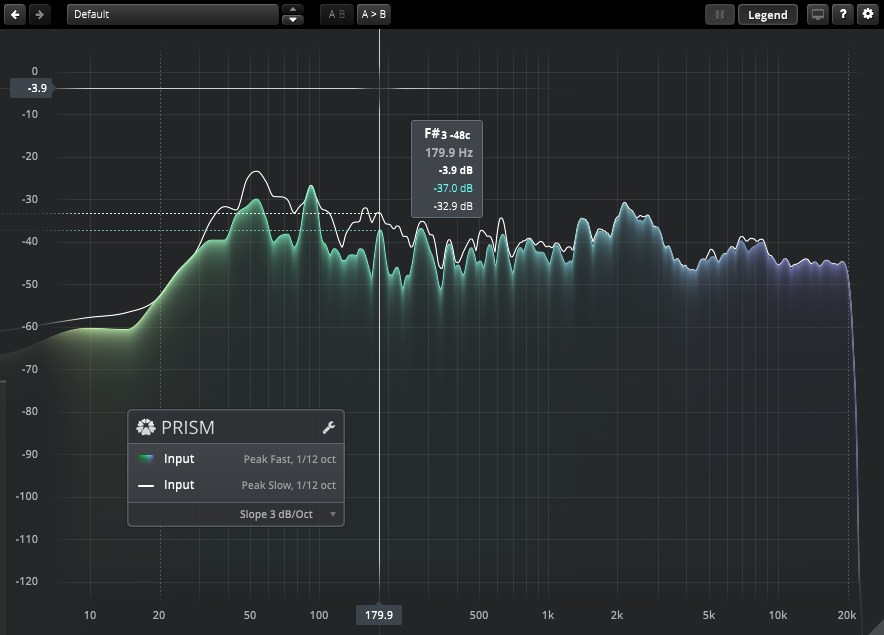
TDR Prism is an audio plug-in frequency analyzer for examining and comparing spectral content. It can show up to four plots at once, drawing from the main input, a sidechain, an external audio file, or another Prism instance. This suits workflows such as comparing a live signal with a reference file or checking signals at different points in a project.
Compare and configure spectrum plots
Each plot can use its own source, stereo decoding, detection, smoothing, and visual style. For stereo sources, decoding options include left/right average, left, right, sum, and difference. Peak and RMS detection each have timing choices from Fast through Infinite; Infinite integrates the input until you reset it.
Spectral smoothing ranges from raw bins to octave, one-third, one-sixth, and one-twelfth octave grouping. The Human option uses an ERB auditory filter model. You can also set the display to system bandwidth, from DC to Nyquist, or auditory bandwidth, from 20 Hz to 20 kHz.
Choose a weighting for the task
Prism includes flat display and frequency tilts, plus cinema X-Curve and N-Curve, A- through D-weighting for sound pressure level work, ITU-R 468, ISO 226, K-weighting, and record-groove placement and velocity views. The slope editor supports up to 10 custom programs written in JavaScript, saved for use across Prism instances on the same system.
The auditory masking display estimates masking with a mechanism based on AAC. The manual says this is not a complete model, and the display does not apply to spectra from external files. Prism can still compare those files with other plots, but masking visualization is intended for momentary audio signals.
Inspect a frequency or interval
Click the analyzer display to freeze its animation and open a crosshair with dynamic reference lines. Hold Shift to magnify the view four times or scroll horizontally. Alt/Option-drag draws a ruler line; its tooltip shows the endpoints and frequency and gain interval.
Ctrl-click on Windows or Command-click on macOS at a selected frequency to use the tone generator. Its modes are Static Sine, Dynamic Sine, Dynamic Noise, and Bandpass. The display can also show the nearest musical note in its inspection tooltip.
Formats, requirements, and download
The product page lists VST2, VST3, AU, and AAX formats across its available builds. Check the package matrix for a format and bitness supported by your audio host. The stated system requirements are Windows Vista or later, Mac OS X 10.9 or later, or Linux x86-64 with GLIBC 2.14 or later; OpenGL support is also required.
Tokyo Dawn Labs provides Windows installer and no-installer downloads, a macOS package, and a Linux x86-64 archive. Prism is listed among the developer's freeware plug-ins and has a free download. The product page does not summarize separate license terms.