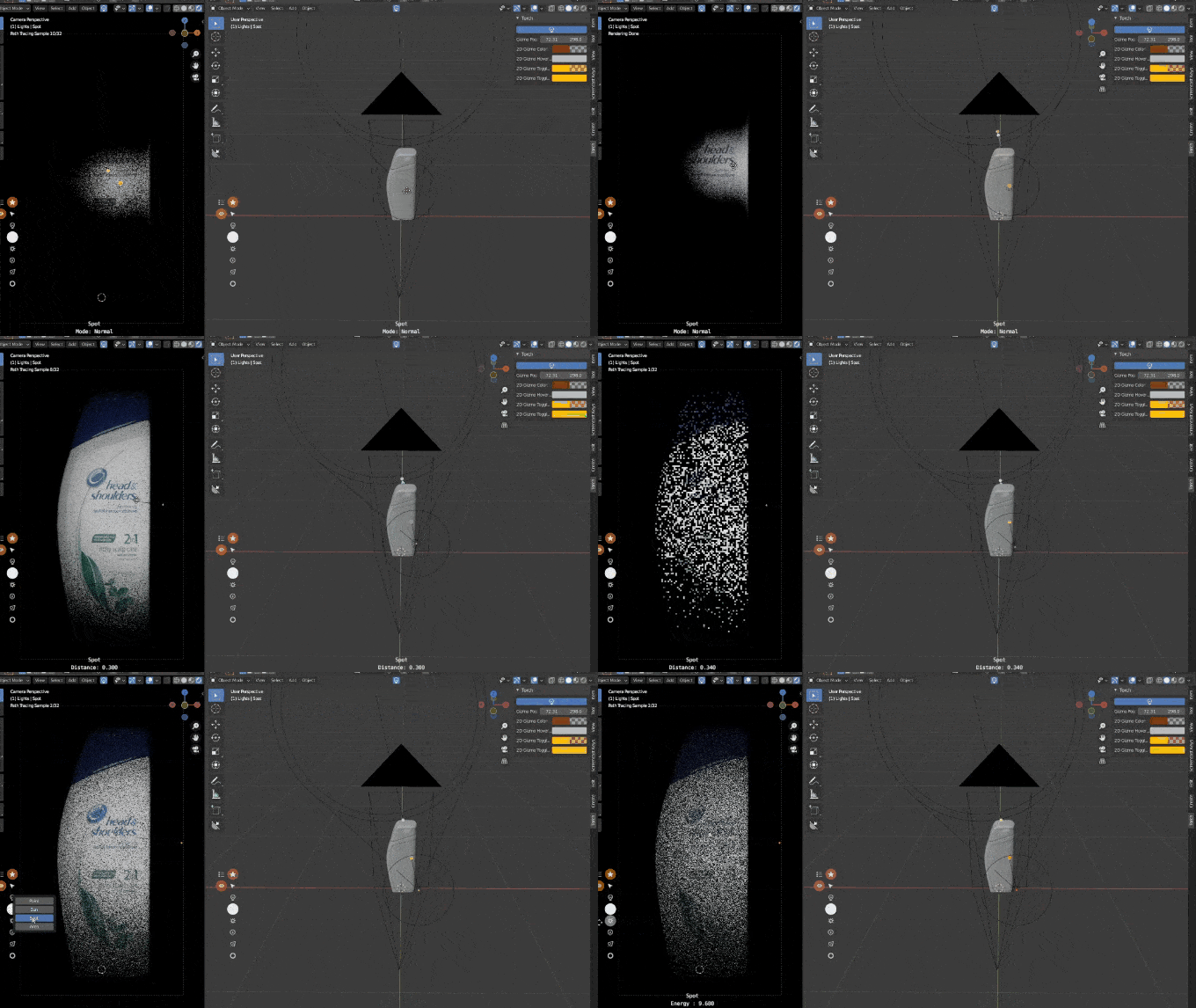
Torch is a Blender add-on for adjusting lights from the 3D view. Created lights have an icon at the lower left of the view, where you can toggle them and adjust them.
Position lights with the gizmo
Move a light relative to your model using Torch’s gizmo. Hold Shift while dragging to switch between normal and reflection mode. Hold Alt while dragging to flip the light’s direction.
- Create or select a light to show its on-screen controls.
- Hold Ctrl and drag Torch’s gizmo left or right to change the distance between the light and a surface.
- Use the Torch UI in the 3D view to change intensity, color, type and other registered properties.
Check the listed Blender versions
The Superhive listing for Torch names Blender 2.83, 2.9, 2.91, 2.92, 2.93 and 3.0. It does not list later Blender releases, so confirm compatibility with the developer before relying on Torch in a newer version. The listing also identifies timo.ink as the creator and labels the license royalty-free; check its license details for the terms that apply to your use.
When Torch may fit your workflow
Torch may suit Blender users who want to place and adjust lights while working in the 3D view. Its controls cover light position, distance, direction, mode, intensity, color and type. The listing describes normal and reflection modes but does not explain their effect, so consult the product documentation or developer if that distinction affects your setup.