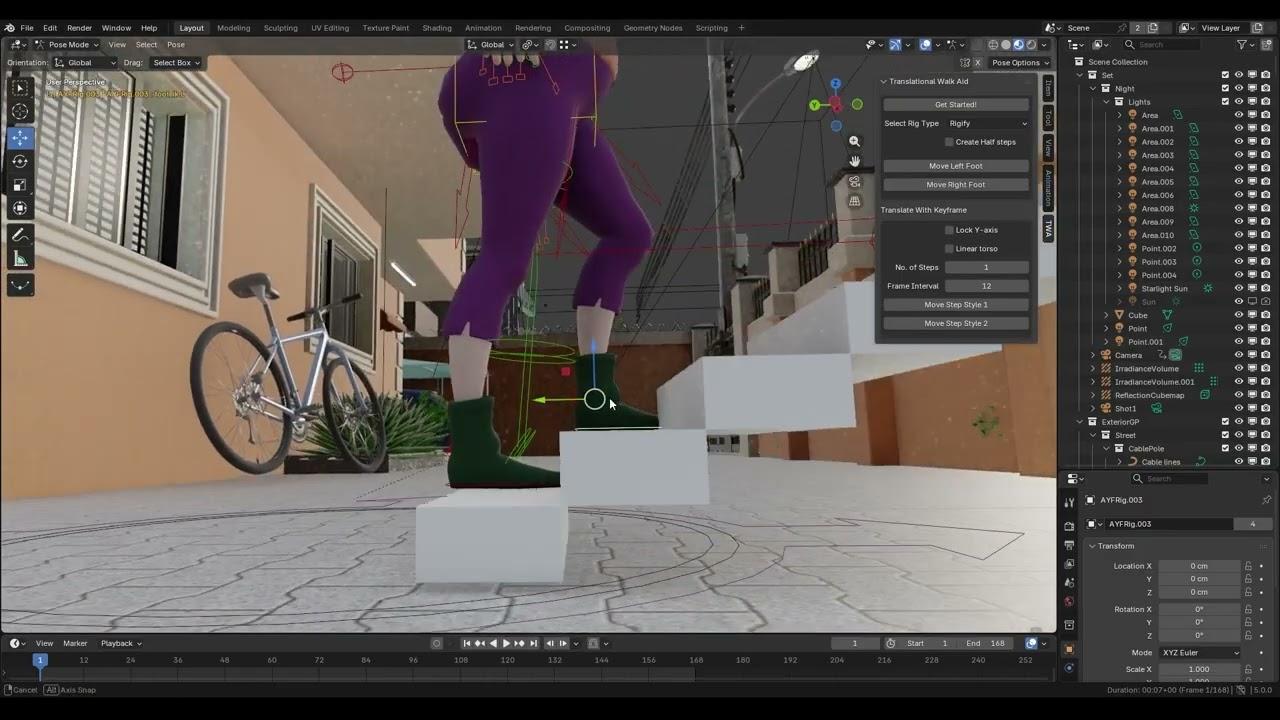
Translational Walk Aid (TWA) is a Blender add-on from Levonotion Studios for moving a biped character's walk animation through 3D space. It translates the character forward or backward by steps, moving a foot while the center of mass shifts according to the stride length.
How Translational Walk Aid works
Choose the number of steps and a keyframe interval. TWA adds keyframes for the translation, and the seller lists “No foot slide” among its benefits. The add-on can be used for walk or run animation, with an existing cycle or from scratch. Version 3.0 adds options for moving up and down stairs.
The current version manipulates and sets keyframes on the center of mass or torso and the right and left foot controls. The seller says more controls may be added in future updates. TWA is listed as compatible with Rigify, BlenRig, and Auto-Rig Pro.
Set up a walk cycle translation
- In Blender, switch to Pose Mode.
- In the 3D View sidebar, open the TWA tab and click “Get Started,” then select your biped character rig.
- Create a contact pose by separating the character's feet to set the stride length, then set a keyframe for the pose.
- Choose a button to translate the character forward or backward. Set the step count and keyframe interval as needed.
The product listing specifies Blender versions 3.4 through 5.0 and a GPL license. Check the Translational Walk Aid product page for current product details and the usage documentation for setup instructions.