Variant Switch is a Blender add-on by YU_Design for switching between collection and material variations. It groups options into switchers, so you can toggle visibility or change assigned materials while reviewing a scene or presenting a model.
Switch between collection variants
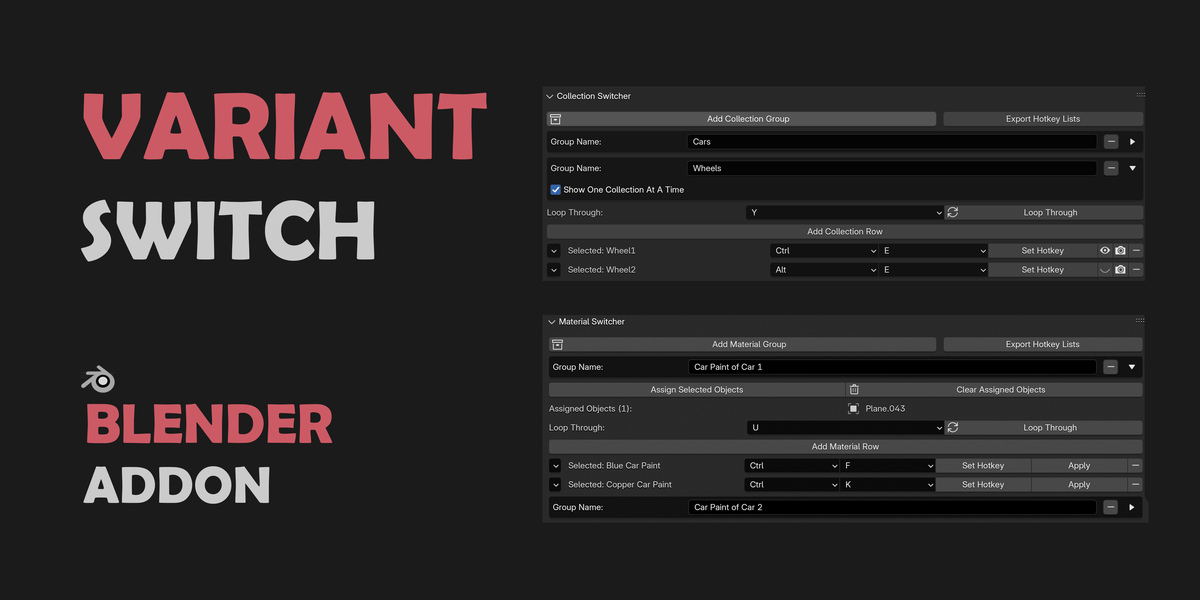
Set up the objects you plan to present in Blender collections first. In the Collection Switcher, create a named group and add a row for each collection. The eye icon toggles viewport visibility; the camera icon toggles render visibility.
Enable “Show One Collection At A Time” to display one collection in the group, then use the loop-through button to cycle among the collections. You can also assign hotkeys to cycle through collections or toggle an individual row.
Apply and compare materials
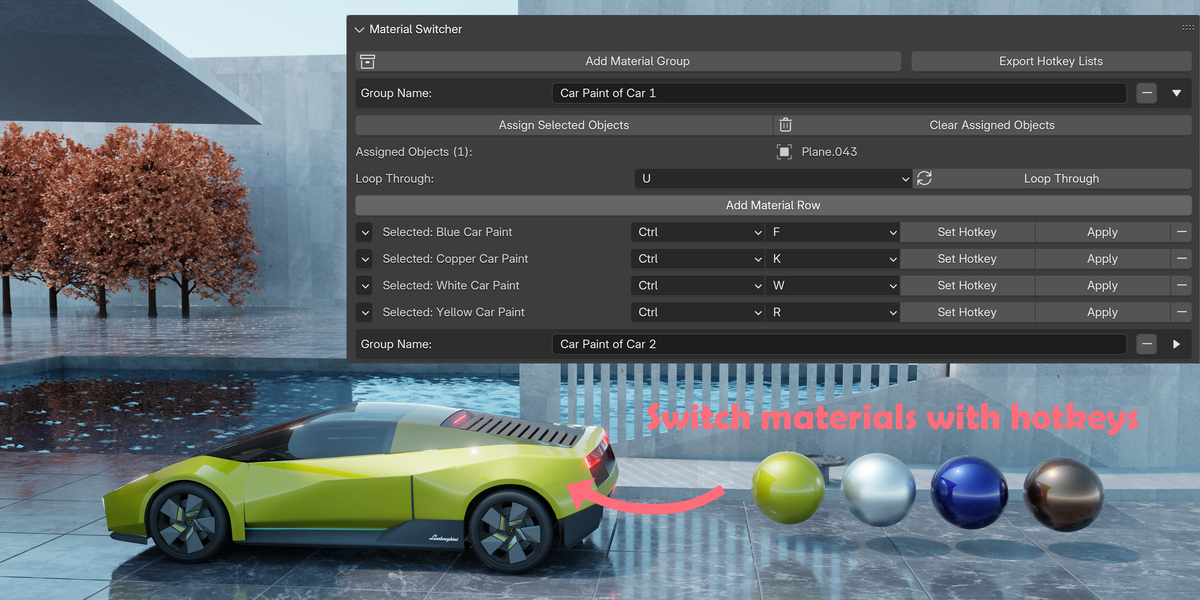
The Material Switcher uses named groups as well. Assign objects to a group, add material rows, select materials, and click Apply to set a material on those objects. The loop-through control switches the assigned objects between the group’s materials.
Check which material slot is active on each object before applying a choice. The add-on’s listing notes that a material assigned to an inactive slot may change without the result appearing on the model.
Set up hotkeys and presentation lists
After choosing a hotkey, click Set Hotkey to apply it. The add-on checks choices against Blender’s system keymaps and checks for repeated assignments across its collection and material switchers. It warns if a key is already in use. Removing a row or group also removes its associated hotkeys.
Use Export Hotkey Lists to save the assigned keys as a .txt file. You can keep that list visible on another screen or print it when the Blender sidebar is hidden during a presentation.
Limits and compatibility
Blender’s Ctrl+Z undo does not fully restore changes made with Variant Switch, so the product page advises against relying on it. After undoing, you may need to click Set Hotkey again and reassign hotkeys for the loop-through function. The listing also describes warnings for collections or materials that can no longer be found.
Superhive lists Blender 4.3, 4.2, 4.1, 4.0, and 3.6 under compatibility, and GPL under license. These are Blender versions, not a separate add-on release number. Check the Superhive product page for current compatibility and licensing details.