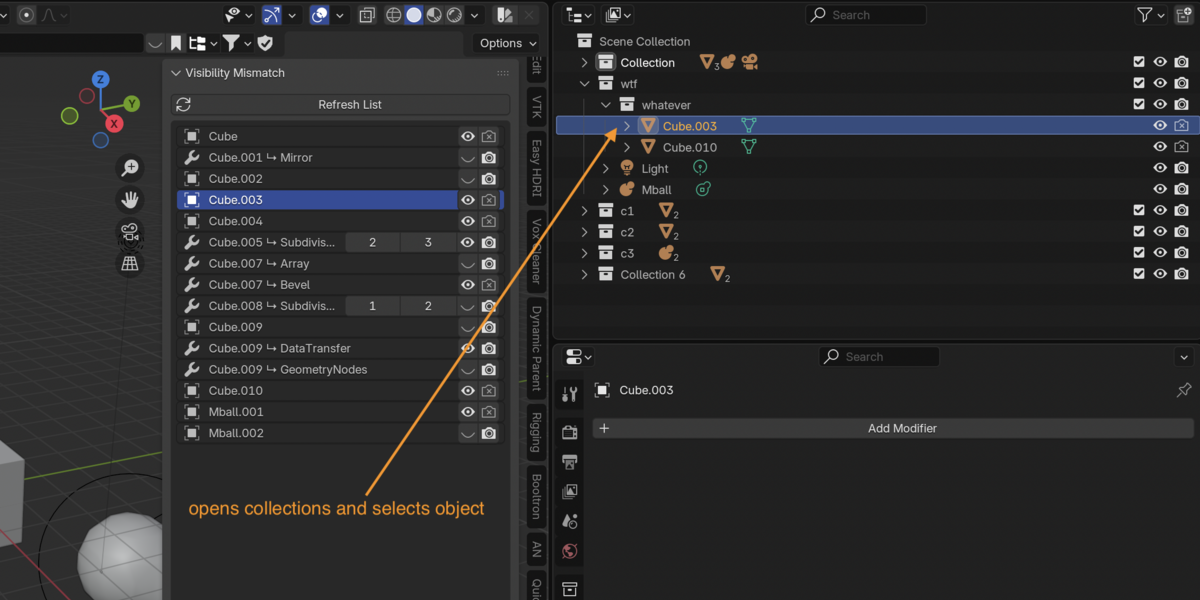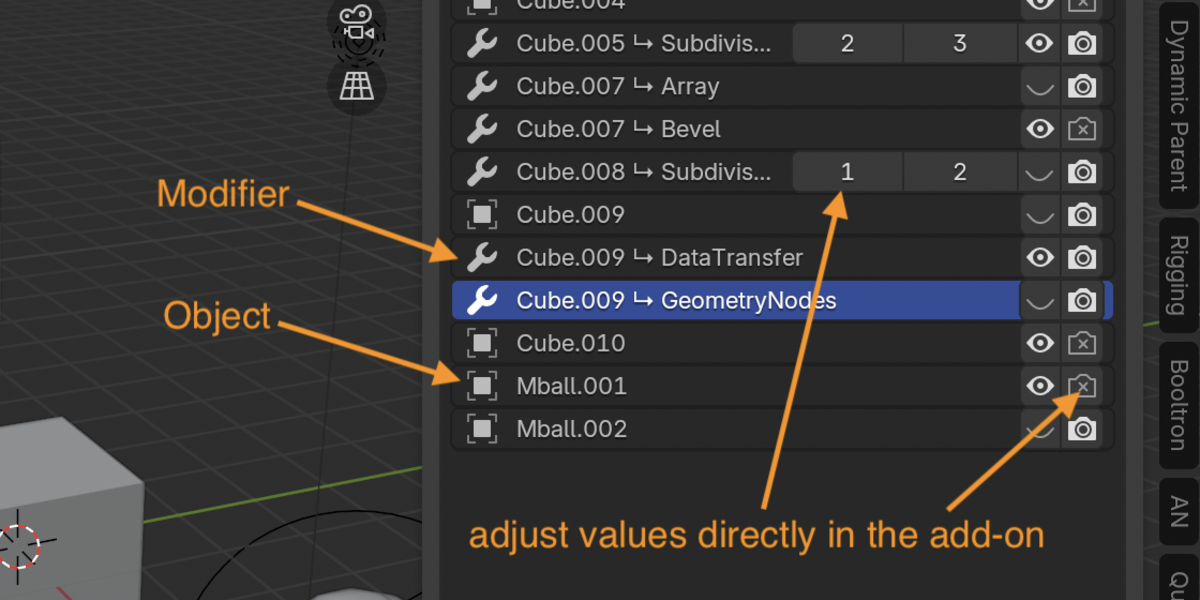
Visibility Mismatch is a Blender add-on by Blender.Fun that finds differences between viewport and render visibility settings, as well as subdivision levels, across objects and modifiers. Its list puts those differences in one place so you can inspect them and adjust settings before a final render.
What Visibility Mismatch checks
- Viewport and render visibility for objects and modifiers.
- Subdivision levels that differ between viewport and render.
The add-on presents mismatches in an interactive list. Clicking an entry selects the corresponding object in the viewport, making it easier to locate in the scene.
Review and adjust the list
- In the 3D Viewport, open the sidebar with N, then open the Visibility tab and Visibility Mismatch panel.
- Click Refresh List to scan the scene.
- Review the listed objects and modifiers. Use the icons to toggle visibility or adjust subdivision settings directly from the list.
A scan before final output can help catch differences between the scene preview and render settings. The Visibility Mismatch documentation describes the panel and its controls.
Installation and compatibility
The documentation describes installing the add-on from a ZIP file through Blender's Preferences, then enabling it in the add-on list. Its Features section says Blender 2.93 and above, while its version details and Blender.Fun's product listing give a range of Blender 2.93 through 4.5. The listing marks the add-on as GPL and Blender Extension compatible. Check it for compatibility details if your Blender version is outside that range.