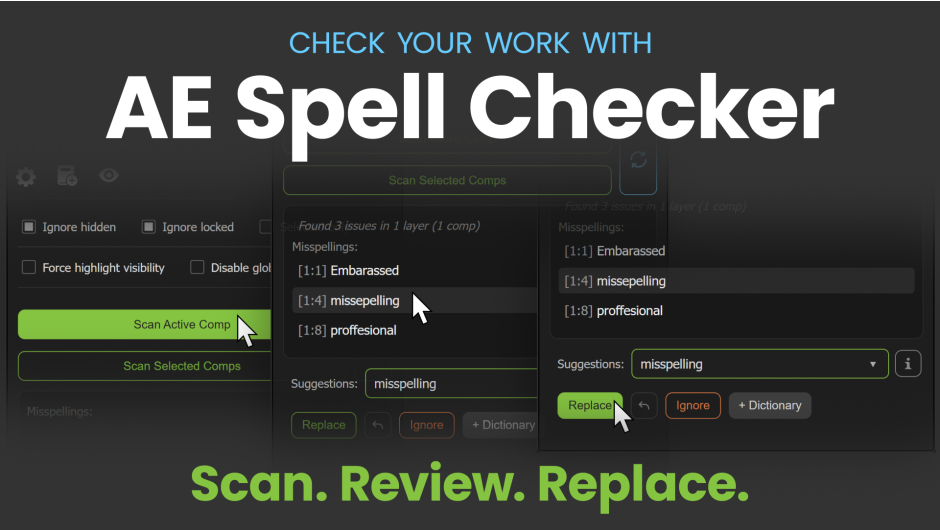
AE Spell Checker
AE Spell Checker proofreads After Effects comps and precomps, including keyframed text, with suggestions, brand spelling checks, and in-context replacement.
Published software and plugin guides for Adobe After Effects. Page 3 of 76.
Read the software guideAE Spell Checker proofreads After Effects comps and precomps, including keyframed text, with suggestions, brand spelling checks, and in-context replacement.
AE Voice Recorder is for timeline recording, speech-to-text, subtitles, text-to-speech and translation. It runs on Windows only and supports AE CC 2017-2026.
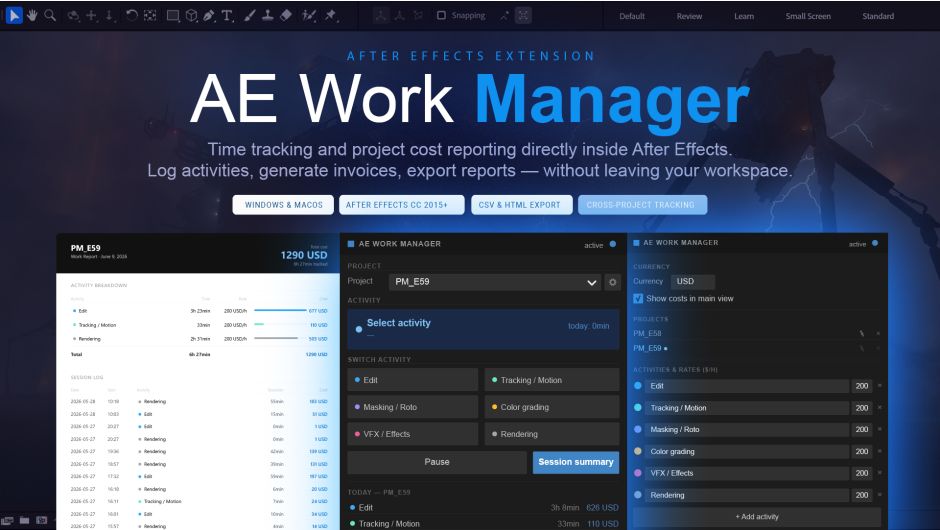
AE Work Manager is an After Effects panel to track time by activity, set hourly rates, recover sessions, and export HTML reports or timestamped CSVs.
Hide and restore floating After Effects panels with a hotkey. See how AeFocus fits a composition review workflow, what setup requires, and its compatibility.
AEInfoGraphics makes animated charts from CSV or tables entered in the panel. Preview 8 of 12 templates; some compare two data sets. Adjust timing and labels.
Build animated charts with AEInfoGraphics 2 in After Effects. Preview most templates; compare two data sets in selected templates and set timing and labels.
For selected After Effects properties, AEJuice Add Bounce Expression applies a bounce with settings you can adjust and save. It also integrates with kBar.
Add a resizable text box in After Effects with AEJuice Add Dynamic Text Box; see border controls, language support, kBar use, compatibility, and license terms.
AEJuice Add Glow applies a soft glow to selected After Effects layers. Review its color, radius and intensity controls, setup, compatibility and licensing.
AEJuice Add Text Controls adds text-layer controls across After Effects compositions; listings differ on which controls are available.
AEJuice Add Typing Cursor is an After Effects typing reveal with a blinking cursor, adjustable cursor speed, color and size, a sound option, and multiline text.
Browse 144 looped backgrounds for After Effects and Premiere Pro, with speed controls, batch export, and square, horizontal, or vertical layouts for edits.
Create After Effects markers on the loudest beats in music or video audio with AEJuice Audio to Markers, a one-click script with kBar integration.
Convert After Effects expressions to keyframes, batch bake a project or chosen comps, layers, and properties, then restore expressions with the Unbake control.