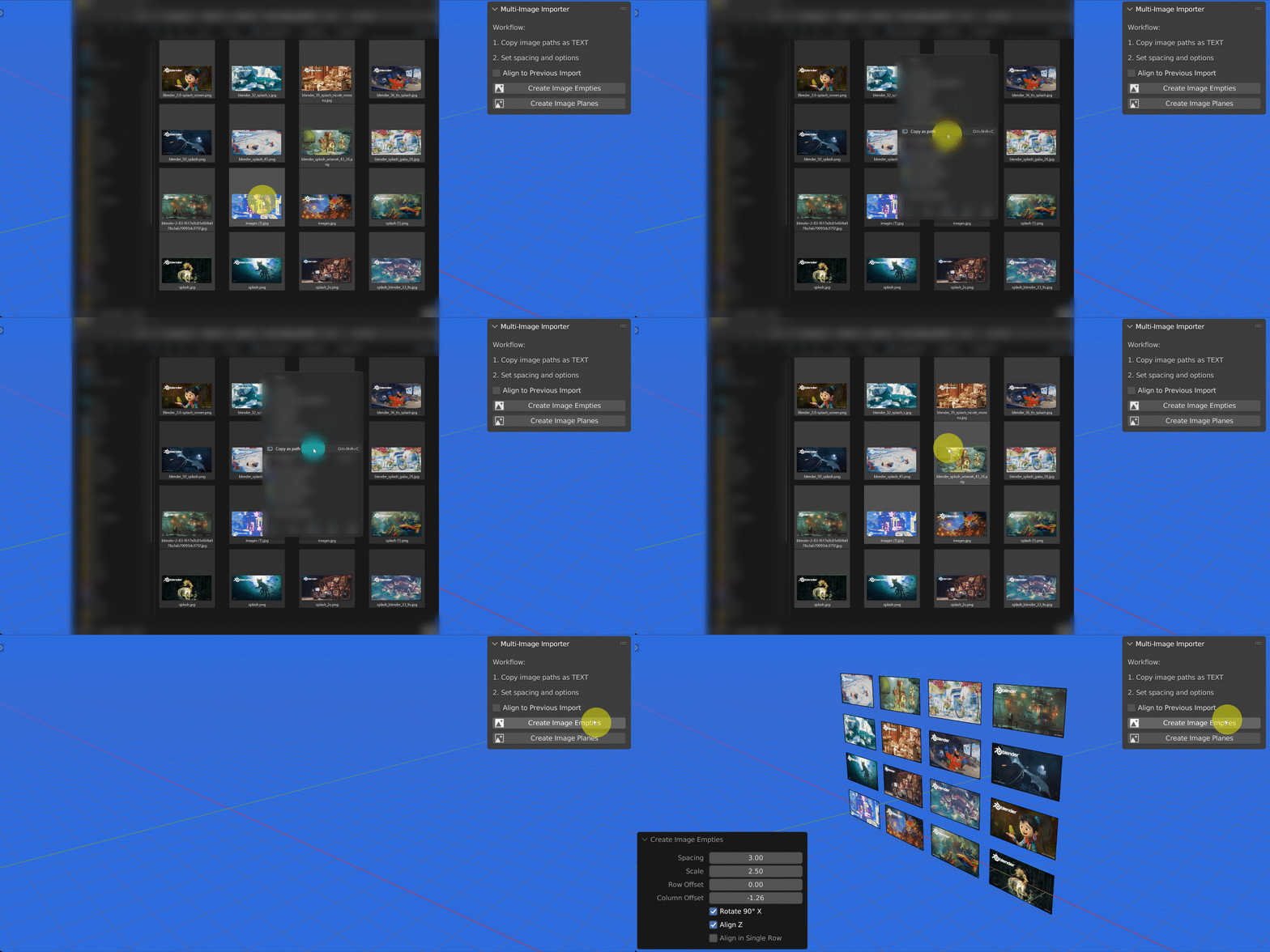
Multi-Image Importer brings multiple images into Blender from file paths copied as text. The developer lists Ctrl+Shift+C on Windows and CMD+Option+C on Mac for copying paths from the operating system browser. The add-on can create image empties for placeholders or textured planes with alpha.
Choose an image layout
Arrange imported images in a single row or grid, or maintain Z-axis alignment. Spacing controls and row and column offsets let you adjust placement. Scale and rotation controls change image size and orientation. Automatic continuation can align new imports with previously imported images, and the add-on tracks imported objects for easier alignment and updating.
Install and open the add-on
Install and enable Multi-Image Importer like a standard Blender add-on. Open the Sidebar in the 3D View and select the “Multi-Image” tab. Copy the image paths as text, choose whether to create empties or planes, set the layout options, and run the import.
Compatibility and license
The Superhive product listing lists Blender versions 3.0 to 5.0. Its description also notes an update for Blender 4.0 and later with proper alpha handling for image planes. Check the listing for support of your specific Blender build. The developer says the add-on uses Blender’s native Python API, bpy, without external libraries, custom binaries, or background processes. The listing identifies the license as GPL; see the GPL license information.
This add-on suits a workflow that needs several image references or planes placed and arranged in a Blender scene in one import.