Open Without is a Blender add-on by Giambattista Von Nettesheim that opens multiple Blender files in separate instances while leaving the current project open. This lets you switch among files without closing and reopening projects. The Superhive product listing describes the add-on and its Blender versions.
How it works
The add-on integrates into Blender's interface, where you can open another file in a separate instance.
Install the add-on
- Download the Open Without add-on file from Superhive.
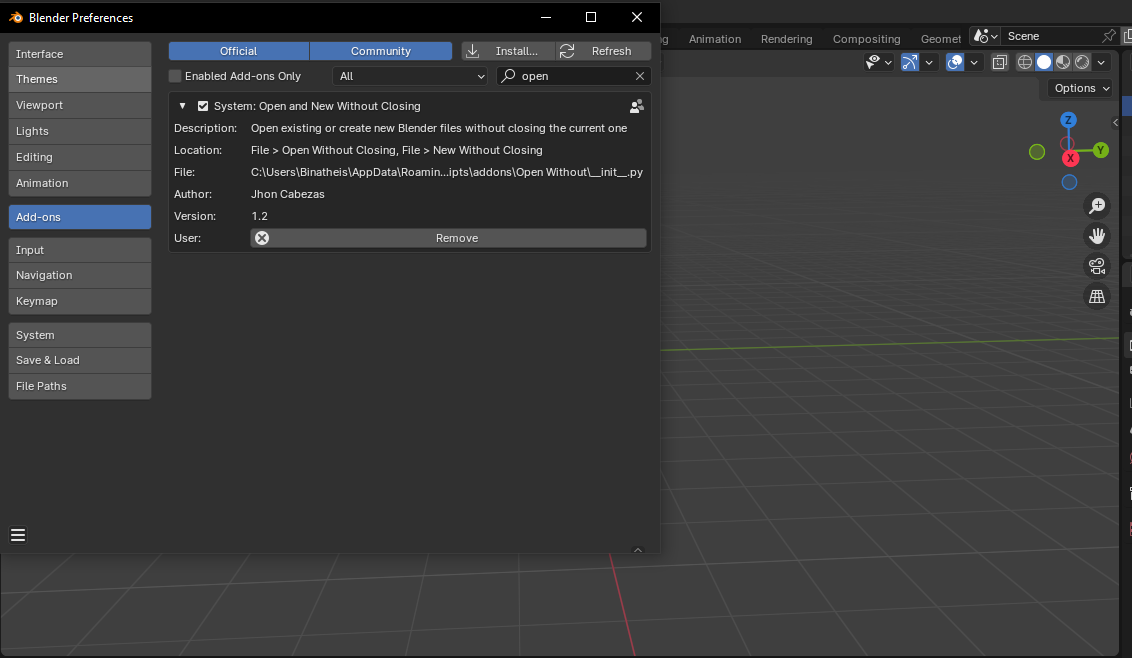
- In Blender, open
Edit > Preferencesand selectAdd-ons. - Choose
Installand locate the downloaded add-on file. - Check the box beside Open Without to enable it.
Blender version notes
Superhive lists Blender 4.3, 4.2, 4.1, 4.0, 3.6, 2.93, and 2.83. It notes a limitation for Blender 2.8 and 2.93: files must be created with the same Blender version or a supported one. Opening files from higher versions is generally unsupported. Check the product listing when assessing compatibility with a project.
The add-on is licensed under the GPL.