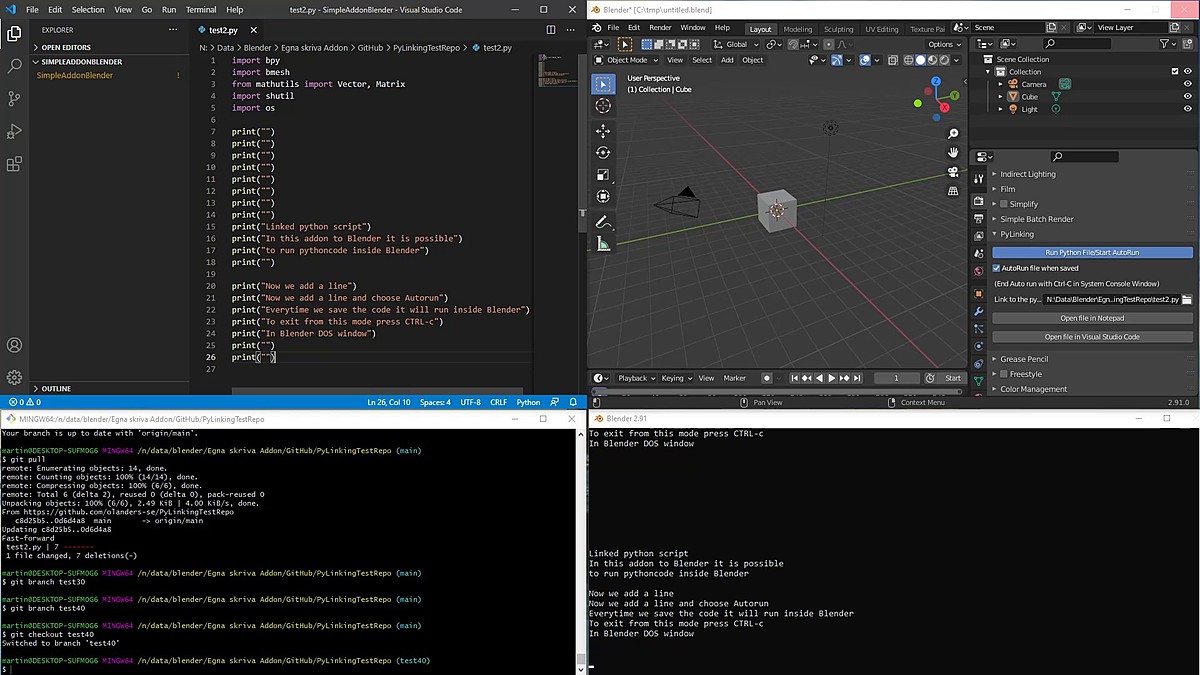
PyLinking is a Blender add-on that links a .py file stored outside Blender so it can run inside Blender. It gives Blender Python scripters a way to edit code in a separate tool, with Visual Studio Code named as one example. The product is aimed at people who write their own scripts and want to keep them in a folder GitHub can read and write for version control.
The PyLinking documentation describes a selected-file workflow: install the add-on, choose a Python file, link it to Blender, then run it there.
How the external script workflow works
The .py files stay in a folder GitHub can read and write for version control; PyLinking links a selected file to Blender for execution.
Run a Python file in Blender
- Install the add-on in Blender.
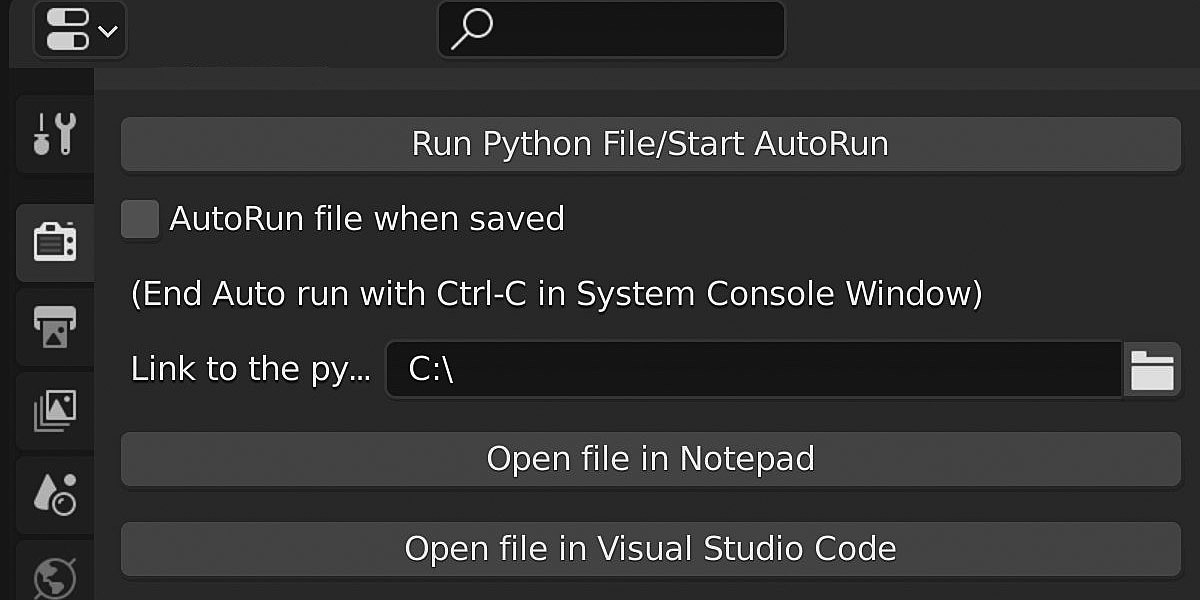
- Select the Python file and choose “Link to the python file.”
- Choose “Run Python file” to run the selected file inside Blender.
Keep the selected .py file in the folder where you intend to edit and manage it.
Open scripts and stop AutoRun
On Windows, with Visual Studio Code installed, the documentation says you can open the selected Python file from inside Blender. It marks this opening action as Windows-only. To stop AutoRun, press Ctrl-C in Blender’s System Console.
When a referenced file is missing
A product update dated June 19, 2023 says PyLinking starts a new .py file if the file does not exist but its name is correct. This can help when you have a valid file name to link but have not created that script yet.
Who PyLinking suits
PyLinking is for Blender users who write their own Python scripts and prefer to edit them outside Blender. It fits workflows where scripts live in an external folder and version control matters. If your scripts are not stored as external .py files, the documented link-and-run workflow may not match how you work.
Compatibility and license
The Superhive listing identifies the license as GPL and names Blender 2.81, 2.82, 2.83, 2.9, 2.91, 2.92, 2.93, 3.0, 3.1, 3.2, 3.3, 3.4, 3.5, 3.6 and 4.0. This is the compatibility range shown in the listing; it does not confirm support for later Blender versions. Check current product information before using PyLinking with a newer release.