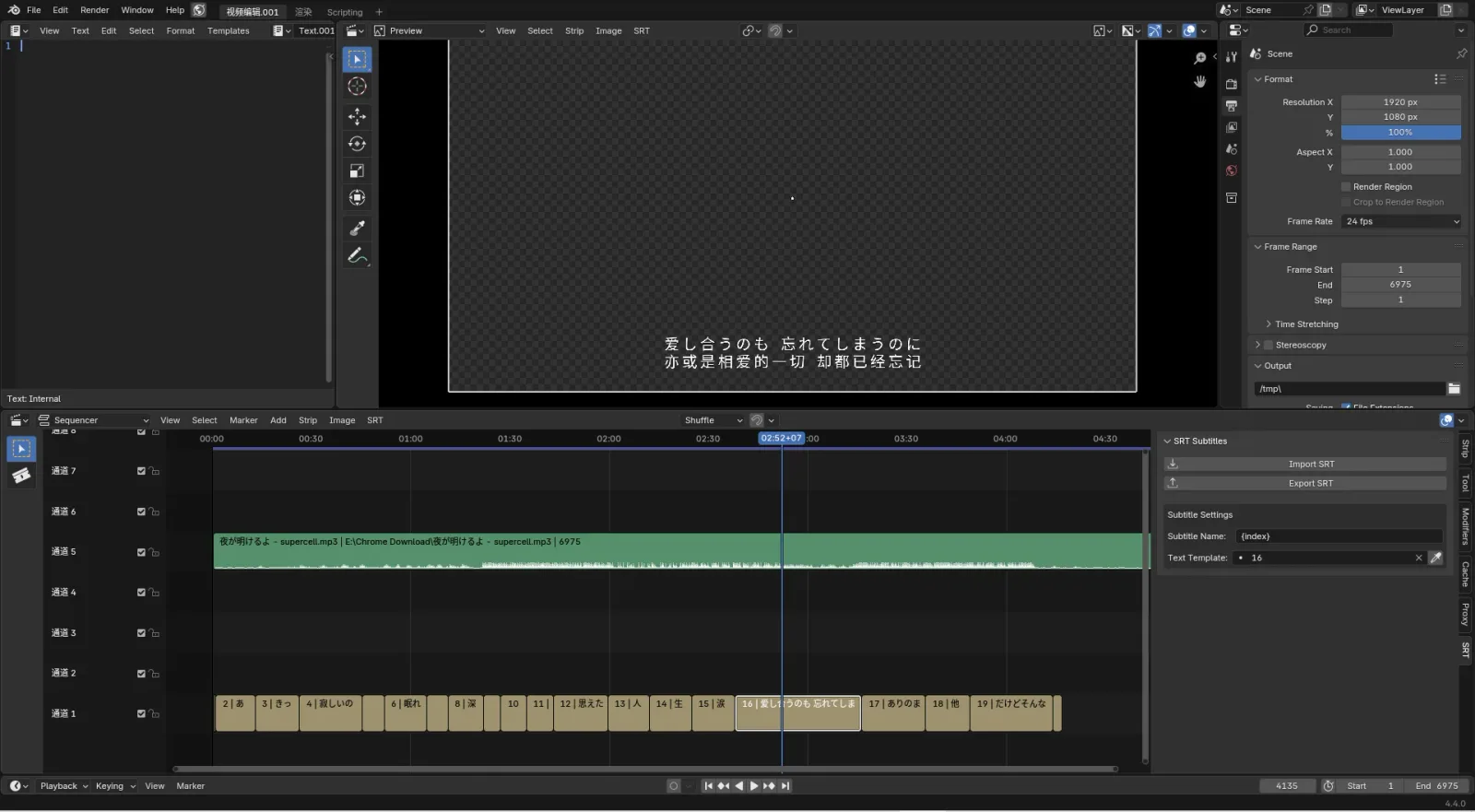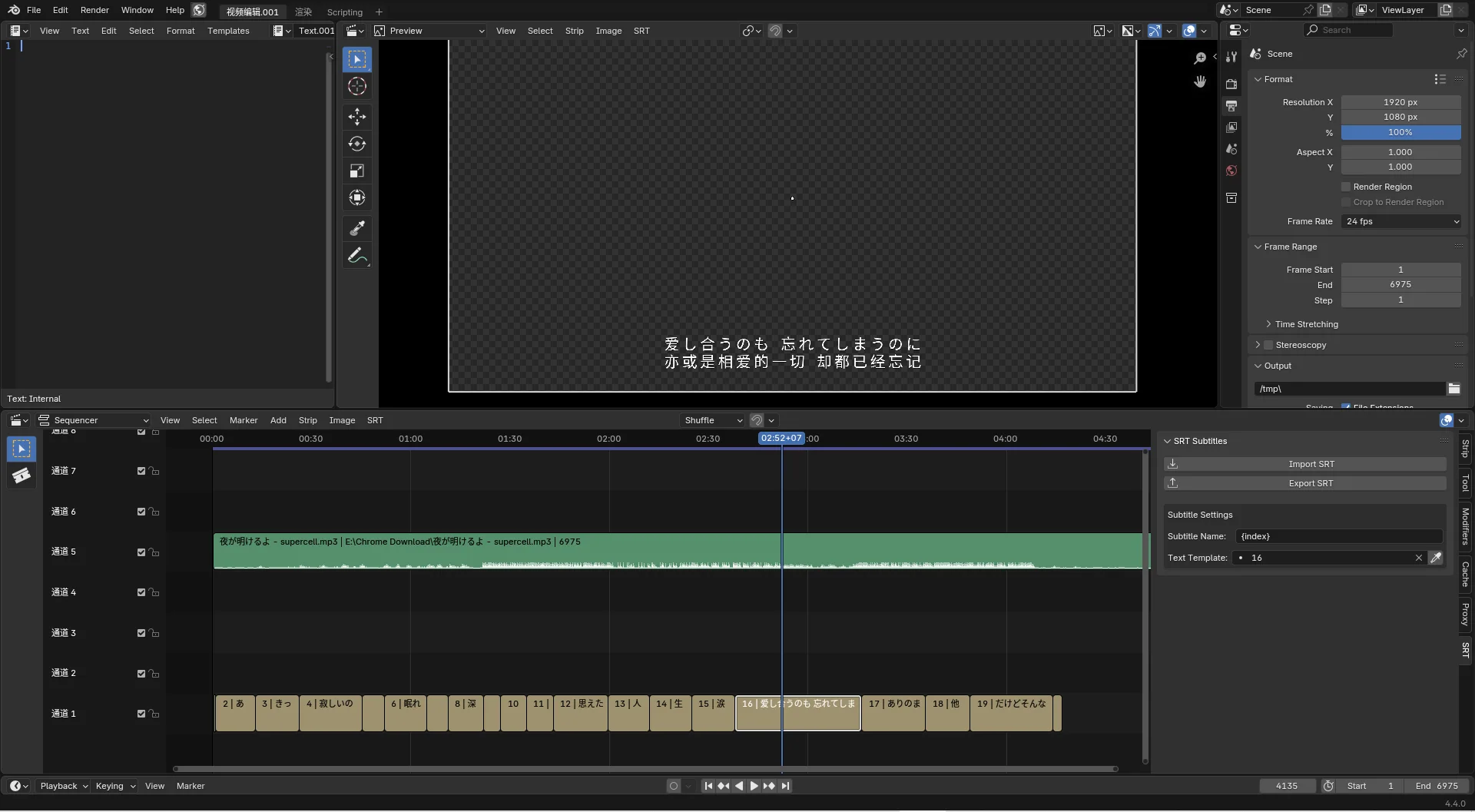
SRT Subtitle Importer/Exporter by PoYakong moves subtitle files between disk and Blender’s Video Sequence Editor (VSE). Import an SRT file as text strips, work with those strips in the sequence, then export text strips as a standard SRT file.
Import subtitles into the VSE
The add-on provides import and export actions in the VSE menu under SRT. During import, it detects the scene’s frame rate for subtitle timing. You can set a text strip as the standard template for imported subtitles; the add-on applies it to all imported subtitles.
Subtitle titles can use the {index} iterator syntax for custom naming.
Export text strips as an SRT file
The export action selects all text strips in the scene and writes them to a standard SRT file. Check the scene for text strips unrelated to subtitles before exporting.
Compatibility and installation
The Blender Extensions catalog lists version 2.0.0 with Blender 5.0.0 as its minimum version and a GPL-3.0-or-later license. Check the official extension listing for the current release. The developer’s README says the add-on is for Blender 4.2+, which differs from the catalog’s 5.0.0 minimum. The developer’s repository contains the source code and issue tracker. Blender’s manual explains installation from disk.