Zen Cage is a Blender add-on by Sergey Tyapkin that puts objects, groups, or component selections inside a bounding-box cage. Its interactive handles bring seven placement and transformation modes into one tool, useful for arranging objects against shared boundaries or spacing repeated elements.
The Superhive listing identifies version 1.0.2, a GPL license, and compatibility with Blender 4.2 through 5.2. Check the listing and the installation guide for current details before installing.
Seven transformations from one cage
The cage gives you a visible reference for positioning and reshaping a selection. Each mode handles a different task:
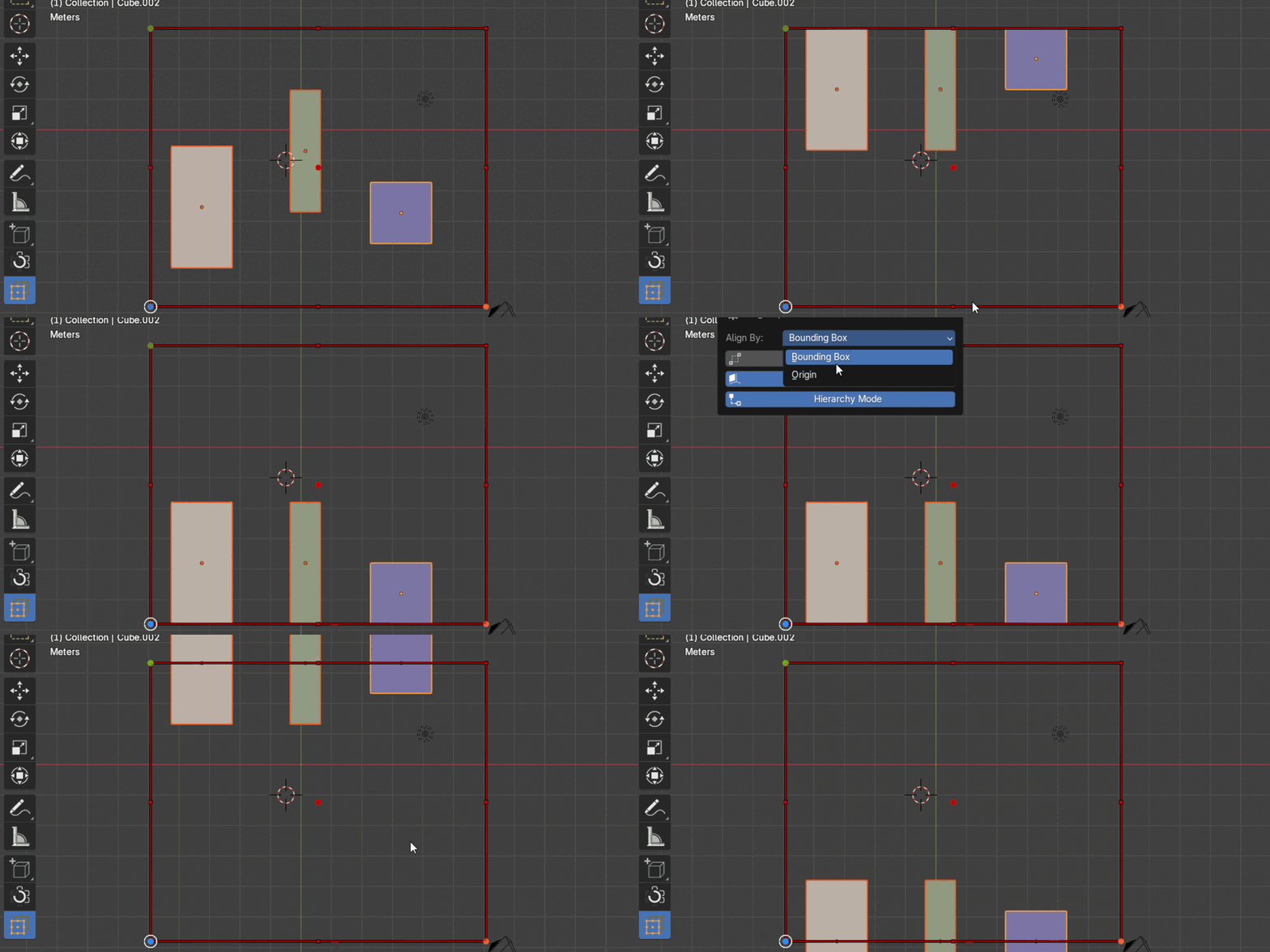
- Align positions objects or components at a cage point, edge, face, axis, or outside boundary.
- Fit scales a selection inside or outside the cage, uniformly or by axis.
- Distribute spaces items evenly with adjustable margins or fixed distances.
- Array duplicates a selection along X, Y, or Z, with controls for count and spacing.
- Clamp scales to a cage boundary while locking the chosen minimum or maximum side.
- Rotate turns a selection around a cage point or the 3D Cursor, using an interactive dial or fixed angles.
- Scale changes size uniformly or by axis in global or local orientation.
Choose how the cage behaves
Dynamic bounds adjust to the current selection. Locked bounds stay fixed while you work. Manual bounds let you define the working area and rotate or scale the cage itself. These options suit different placement tasks: follow an evolving selection, reuse a stable boundary, or set a custom one.
Zen Cage also includes hierarchy controls for working with grouped objects as a unit or individually, modifier-aware bounds, and 3D Cursor Sync for pivot placement. The official manual covers the cage controls and individual modes.
When Zen Cage may fit your workflow
You can align a selection, distribute objects along an axis, fit items to a boundary, and rotate or scale them through the same cage interface.
For setup steps and control details, see the installation guide and changelog.