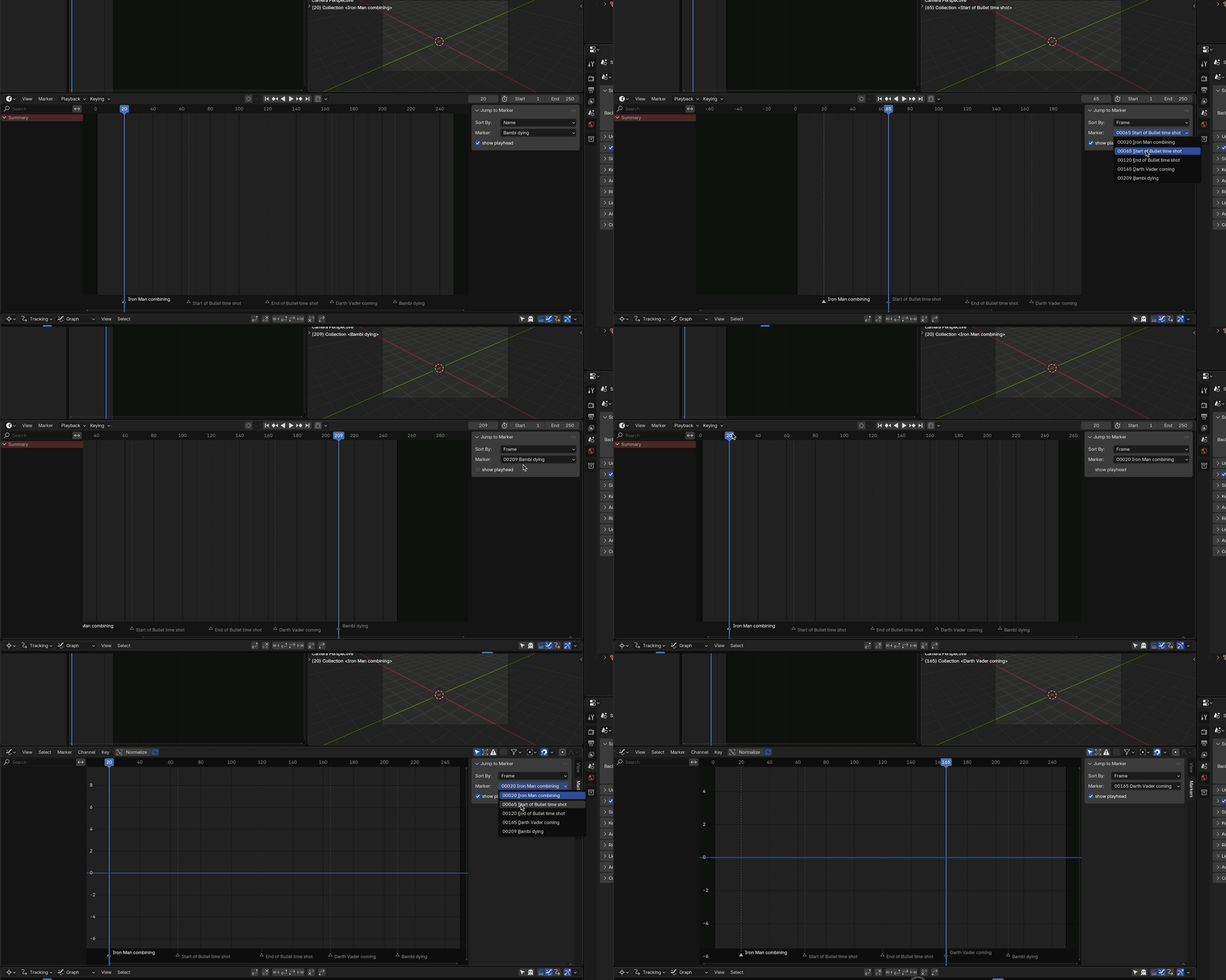
Marker Shortcuts is a Blender add-on by 1P2D for navigating timeline markers from the keyboard. Press a trigger key to open its modal listener, then enter the shortcut assigned to the marker. The playhead moves when the adjustable timeout ends or when you press Enter; press Esc to cancel.
Navigate with marker shortcut strings
Shortcuts can be more than single keys. The add-on supports multi-digit numbers, names with several characters, and full words. For example, you could assign Seq10 to a marker named for a sequence, or use Start for an opening marker. The example uses Shift+M, then types 3 to jump to the End marker assigned shortcut 3.
Assign and manage shortcuts
Set marker shortcuts in the add-on preferences or from the Marker menu in the Dope Sheet, Graph Editor, NLA Editor, and Video Sequencer. Marker data is handled at the scene level.
For larger marker sets, the bulk tools can:
- Use Auto Numbering Setup to add numbered prefixes to marker names and assign matching numeric shortcuts.
- Use Remove Prefixes to strip those number prefixes from marker names.
- Use Marker to Shortcut to assign marker names as shortcuts. The listing recommends concise names such as
Intro,Seq1, orEnd. - Use Delete All Shortcuts to clear assigned shortcuts across all scenes.
Choose a trigger keymap context
The developer recommends the Timeline Editors keymaps to avoid conflicts between the main trigger keymap and other operators. This limits the trigger keymap to the Dope Sheet, Graph Editor, NLA Editor, and Sequencer contexts. Consider that scope when choosing where you need marker navigation.
Compatibility and license
The listed release is version 0.1.1, marked as the initial release on June 6, 2026. The extension catalog sets Blender 4.2.0 as the minimum version and lists the add-on under the GNU General Public License v3.0 or later. Check the official extension page for current release details. Blender's extension installation documentation explains how to install an extension from disk.